
How much does it cost to build an AI app or AI agent? A buyer's guide
AI app development cost is not a mystery number. It follows from the team, the timeline and a handful of AI-specific drivers, plus a running cost that grows with every user. Here is how to estimate both, step by step, and how to keep them under control.
Short answer
The cost to build an AI app or agent is team size × weeks × blended weekly rate, driven by use case complexity, data preparation, retrieval, tool integrations, evaluation, guardrails, human review and compliance. On top of the build, budget a running cost for model usage, vector database, hosting and monitoring that scales with users and requests.
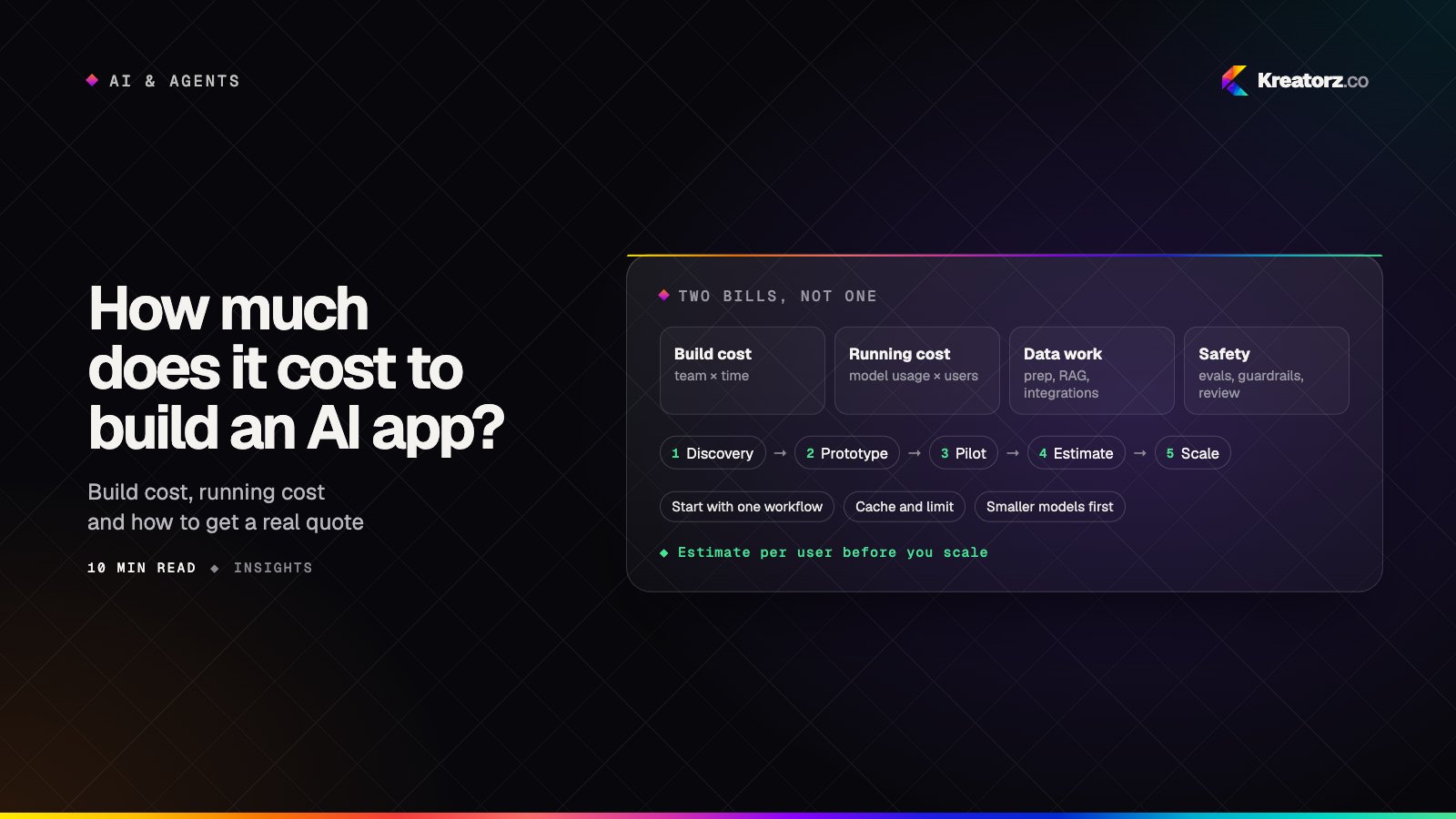
"How much does AI development cost?" is a fair question with an unhelpful default answer. A prototype chatbot can be wired up quickly, but a real project fills up with things the demo never needed: cleaning data, connecting systems, testing answers, blocking misuse and keeping a person in the loop.
This guide explains the cost to build an AI app or agent the way a good estimate should: as a structure you can reason about, not a price tag. It reuses the formula and tiers from our general guide to how much it costs to build an app, then adds the drivers that are specific to AI, the running costs, and a step-by-step method for estimating both. We deliberately do not quote model or token prices. They change often, so check each provider's current pricing.
The two numbers every AI budget needs
An AI product has two costs, and most early budgets only include the first.
- The build cost — the one-off effort to design, develop, test and launch the first release, plus later phases.
- The running cost — what you pay every month to operate it: model usage, retrieval infrastructure, hosting, monitoring and support. Much of it scales with how much people use the AI.
You need both numbers to make a decision.
How the build cost works
The build cost follows the same formula as any software project:
Estimated build cost = team size × number of weeks × blended weekly rate
What changes for AI is the team shape and the number of weeks. Alongside designers and developers, an AI project usually needs someone who owns prompts, retrieval and evaluation, and often a backend engineer focused on integrations and data. The complexity tiers from our general guide still apply, with timelines that are indicative only:
| Tier | What it looks like for AI | Typical timeline |
|---|---|---|
| Simple | One focused AI feature, such as summarizing or drafting, over data the app already has | Often around 2–3 months |
| Medium | An assistant over your own documents with retrieval, or an agent that uses a few tools with human approval | Often around 3–6 months |
| Complex | Agents working across several systems, multiple user types, strict compliance or real-time features | Often 6 months or more, usually in phases |
AI-specific cost drivers
These are the factors that most often explain why two "AI apps" have very different budgets.
Use case complexity
Classifying a support ticket is narrow, with a clear right answer. Completing a multi-step workflow is open-ended and needs more design, testing and safeguards. The more judgment you ask of the model, the more weeks you need to make it reliable.
Data preparation and integration
AI is only as good as the data it can see. Documents may be scattered, duplicated or out of date, and business data may sit behind limited APIs. Cleaning, structuring and connecting that data is often the largest hidden line in an AI estimate.
Retrieval and knowledge base (RAG)
If the AI must answer from your own content, you need retrieval-augmented generation: chunking documents, creating embeddings, storing them in a vector database, ranking results and keeping the index fresh when content changes. Permissions matter too, so users only retrieve what they are allowed to see. Retrieval quality decides answer quality, which is why our RAG development work focuses on these details.
Tool integrations for agents
An agent that reads, writes or acts in your CRM, helpdesk, calendar or internal tools needs a narrow, well-tested tool for each action. Each adds authentication, error handling and logging. Our guide on how to build an AI agent for your business walks through scoping those tools, and it is the main reason AI agent development cost is usually higher than for an assistant that only answers questions.
Evaluation and testing
A proper build includes a test set drawn from real cases, a way to score answers, and a habit of re-running the tests whenever prompts, models or data change. It is what lets you switch models or cut costs later without guessing.
Guardrails and security
AI products need defenses against prompt injection, data leakage, off-topic use and unsafe outputs, plus least-privilege access for anything an agent can touch. Rules that matter belong in code, not in a prompt.
Human-in-the-loop
Review queues, approval steps, escalation paths and an interface where staff can correct the AI are real features with real design and engineering effort.
Compliance
Health, financial, legal and children's data bring extra work: data processing agreements with model providers, data residency decisions, audit logs, retention policies and sometimes external reviews. Plan it from the start.
AI cost-driver table
| Cost driver | Pushes the build cost up when | Keeps it down when |
|---|---|---|
| Use case complexity | Open-ended tasks, many steps, high stakes | Narrow tasks with clear right answers |
| Data preparation | Scattered, messy or poorly documented data | Clean data behind good APIs |
| RAG / knowledge base | Large, changing content with per-user permissions | A small, stable set of documents |
| Tool integrations | Many systems, write actions, legacy APIs | Read-only access to one or two systems |
| Evaluation | High accuracy bar, many edge cases | Low-risk outputs a person reviews anyway |
| Guardrails and security | Public users, sensitive data, autonomous actions | Internal users, low-risk actions |
| Human-in-the-loop | Custom review and correction interfaces | Approvals inside tools your team already uses |
| Compliance | Regulated data or markets | No regulated data involved |
Running costs: what you pay after launch
Once the product is live, budget for:
- Model or API usage. Most hosted models charge by tokens, the units of text sent in and generated. Cost scales with the number of users, requests per user, prompt length, retrieved context and the length of answers. Agents that take several steps per task make several model calls per task.
- Vector database. Storage and queries for your embeddings, which grow with your content and traffic.
- Hosting and infrastructure. Your backend, queues, file storage and, if you self-host a model, the compute to run it.
- Monitoring and evaluation. Logging, tracing, error tracking and scheduled evaluation runs to catch quality drift.
- Maintenance. Updating prompts, re-indexing content and testing new model versions.
How to estimate running cost per user or request
Work from the request upward:
- Pick one typical request for each AI feature, such as one support answer or one completed agent task.
- Measure its tokens in a prototype: system prompt, user input, retrieved context and output, multiplied by the number of model calls it makes.
- Price it using the provider's current published rates for the model you plan to use.
- Multiply by usage: requests per active user per month, times expected active users.
- Add the fixed costs — vector database, hosting and monitoring — and a buffer for retries and heavier users.
The result is a cost per request and a cost per user, which you can compare with what each user is worth to the business. Our article on measuring ROI of AI projects covers that side of the equation.
Build vs buy vs fine-tune vs prompt and RAG
- Buy an existing AI tool when your need is common, such as meeting notes or generic writing help, and the product handles your data acceptably. It is quickest, but you trade away control.
- Prompt and RAG on a hosted model is the default for most custom AI apps. You can switch models as better or cheaper options appear.
- Fine-tune when you need a consistent style, format or narrow skill that prompting cannot reliably deliver, or when a smaller fine-tuned model could replace a larger general one. It adds work for data preparation, training and re-evaluation.
- Build or host your own model only for strong reasons: strict data control, very high volume or a capability no provider offers. It brings the most infrastructure and expertise cost.
Many products combine these. Our LLM development team usually starts with prompt and RAG, measures, and only then decides whether fine-tuning earns its place.
How to estimate your AI app or agent budget
Step 1: Define one workflow and its success measure
Write down the single job the AI will do first, who uses it, how often, and what a correct result looks like.
Step 2: List the data and systems it needs
Note every document source, database and tool the AI must read from or act in, and how clean and accessible each one is.
Step 3: Choose the approach
Decide between buying, prompt and RAG, fine-tuning or a hybrid, and whether any features could run on the device. Our guide to on-device vs cloud AI in mobile apps explains when on-device makes sense.
Step 4: Set the risk level
Decide which outputs a human reviews, which actions need approval, and what compliance applies.
Step 5: Shape the team and estimate the weeks
Pick a team that covers design, app development, backend, and AI and evaluation work. Estimate weeks for discovery, build, evaluation, security and a pilot, with a larger buffer for data and integration unknowns. Apply the formula.
Step 6: Model the running cost
Use the per-request method above with current provider pricing, then check the cost per user against the value per user.
Ways to control AI development cost
Start with one workflow
Prove value on one frequent task before expanding. It shortens the build and gives you real usage data.
Use smaller models where possible
Route simple steps, such as classification or extraction, to smaller, cheaper models and reserve the most capable model for tasks that need it. Your test set tells you where a smaller model is good enough.
Cache and trim
Cache repeated answers and reusable prompt sections, keep system prompts tight, and retrieve only the context a request needs.
Set limits
Cap requests per user, the steps an agent may take per task and the length of outputs. Alert on unusual spending so a bug or abuse does not become a large bill.
Move some features on-device
Narrow, frequent features can sometimes run on the phone itself, which removes the per-request cloud cost for those calls.
How to get an accurate AI development quote
A reliable quote comes from evidence, not a one-line brief. The usual path has three stages:
- Discovery. Clarify the workflow, users, data, systems, risk and compliance, and agree what success looks like. The output is a scoped plan with a team shape, timeline and written assumptions.
- Prototype. Build a narrow version against real data to test whether the AI can do the job and to measure tokens per request. This turns guesses about quality and running cost into numbers.
- Pilot. Run it with a small group of real users, often in shadow mode with human review, and track quality, cost per request and time saved before committing to a full rollout.
Be cautious about any fixed quote that skips these stages; it is either padded or missing work.
If you are looking for an AI development company in the USA or Canada, Kreatorz has offices in Sheridan, Wyoming (USA), Brantford, Ontario and Lahore, Pakistan. One senior team covers AI app development and AI agent development end to end, we provide a scoped estimate after discovery, and clients own their code. If you would like to talk through your idea, book a free consultation.
Estimate checklist
Before you approve a quote, check that it covers:
- One clearly defined first workflow with a success measure
- Every data source and system, with notes on quality and access
- The chosen approach: buy, prompt and RAG, fine-tune or hybrid
- Retrieval design, including permissions
- Each agent tool and whether it reads or writes
- An evaluation set built from real cases
- Guardrails, security, human review and compliance
- Team shape, weeks and written assumptions
- Running cost per request and per user, using current provider pricing
- Monitoring, limits and a maintenance plan after launch
Frequently asked questions
How much does it cost to build an AI app?
It depends on the use case, data, retrieval, integrations, evaluation, guardrails, human review and compliance. Estimate the build as team size × weeks × blended weekly rate, then add a running cost for model usage, vector database, hosting and monitoring that grows with usage.
What makes AI agent development cost more than a chatbot?
Agents act in your systems, so each tool needs careful integration, permissions, error handling and testing. They also make several model calls per task and need approval steps and stronger guardrails, which add both build and running cost.
How do I estimate the running cost of an AI feature?
Measure the tokens in one typical request in a prototype, price them with the provider's current rates, multiply by requests per user and active users, then add fixed costs for the vector database, hosting and monitoring, plus a buffer.
Is fine-tuning cheaper than using prompts and RAG?
Not usually at the start. Prompt and RAG on a hosted model is the quickest and most flexible approach for most products. Fine-tuning adds data preparation, training and re-evaluation work, and makes sense when it delivers a skill or consistency prompting cannot, or lets a smaller model replace a larger one.
How can I reduce the cost to build an AI app?
Start with one workflow, use smaller models where your tests show they are good enough, cache and trim prompts, set usage limits, run suitable features on the device and use managed services instead of building infrastructure.
- AI app developmentWe design, build and run AI-powered apps — assistants, copilots, knowledge tools, vision and voice features — that solve a measurable problem and hold up in production.Explore
- AI agent developmentWe build custom AI agents that read, decide and act across your business systems — with clear limits, human approval where it matters and evaluation you can trust.Explore
- RAG developmentWe build retrieval-augmented generation systems — knowledge assistants, document Q&A, RAG chatbots and enterprise search — that answer from your own content, cite…Explore


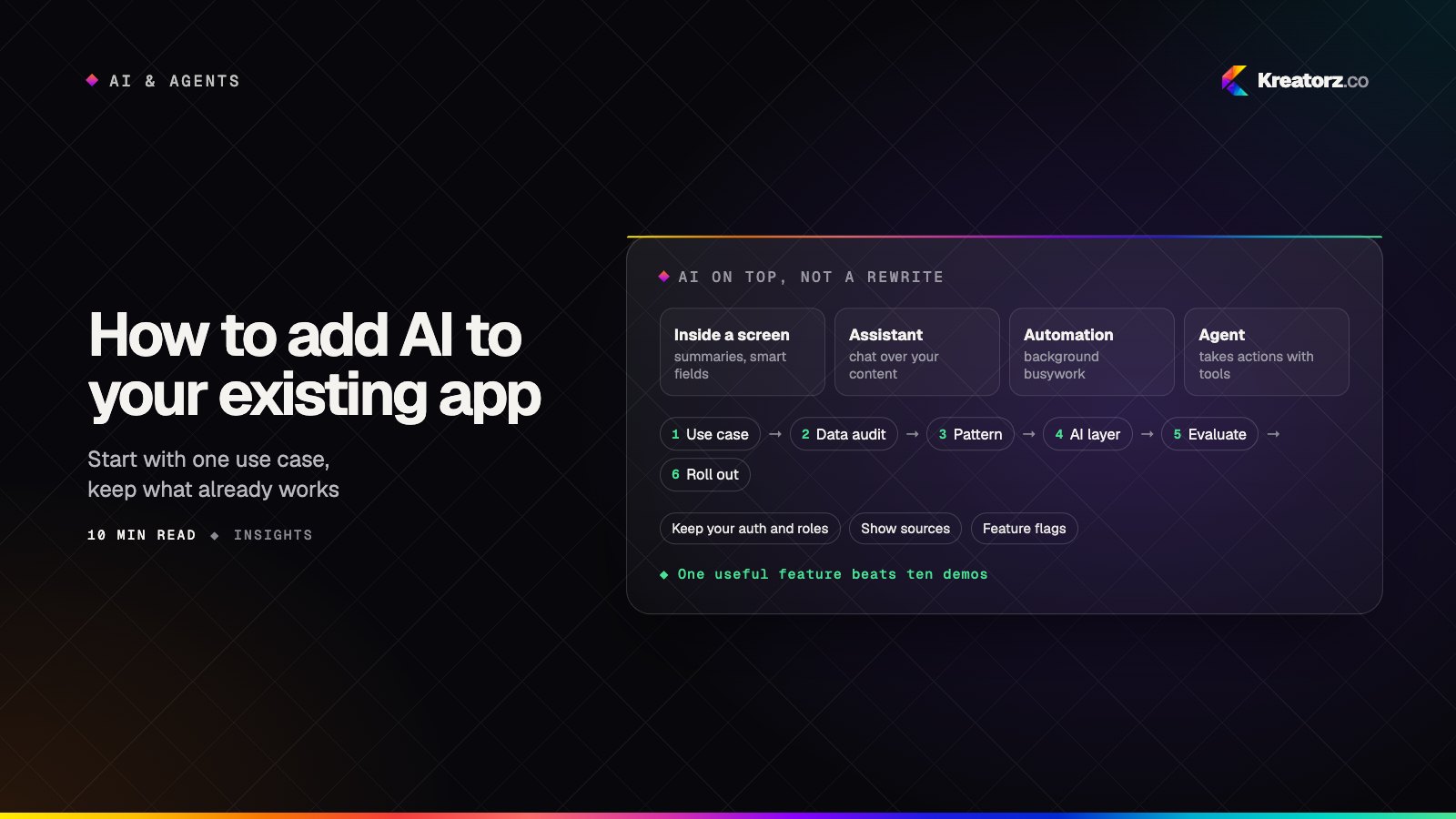
How to add AI to your existing app or software: a step-by-step guide
You do not need to rebuild your product to give it useful AI features. Here is a practical, step-by-step guide to choosing the first use case, auditing your data, picking the right pattern, adding an AI layer without a rewrite, and rolling it out safely.
21 November 2026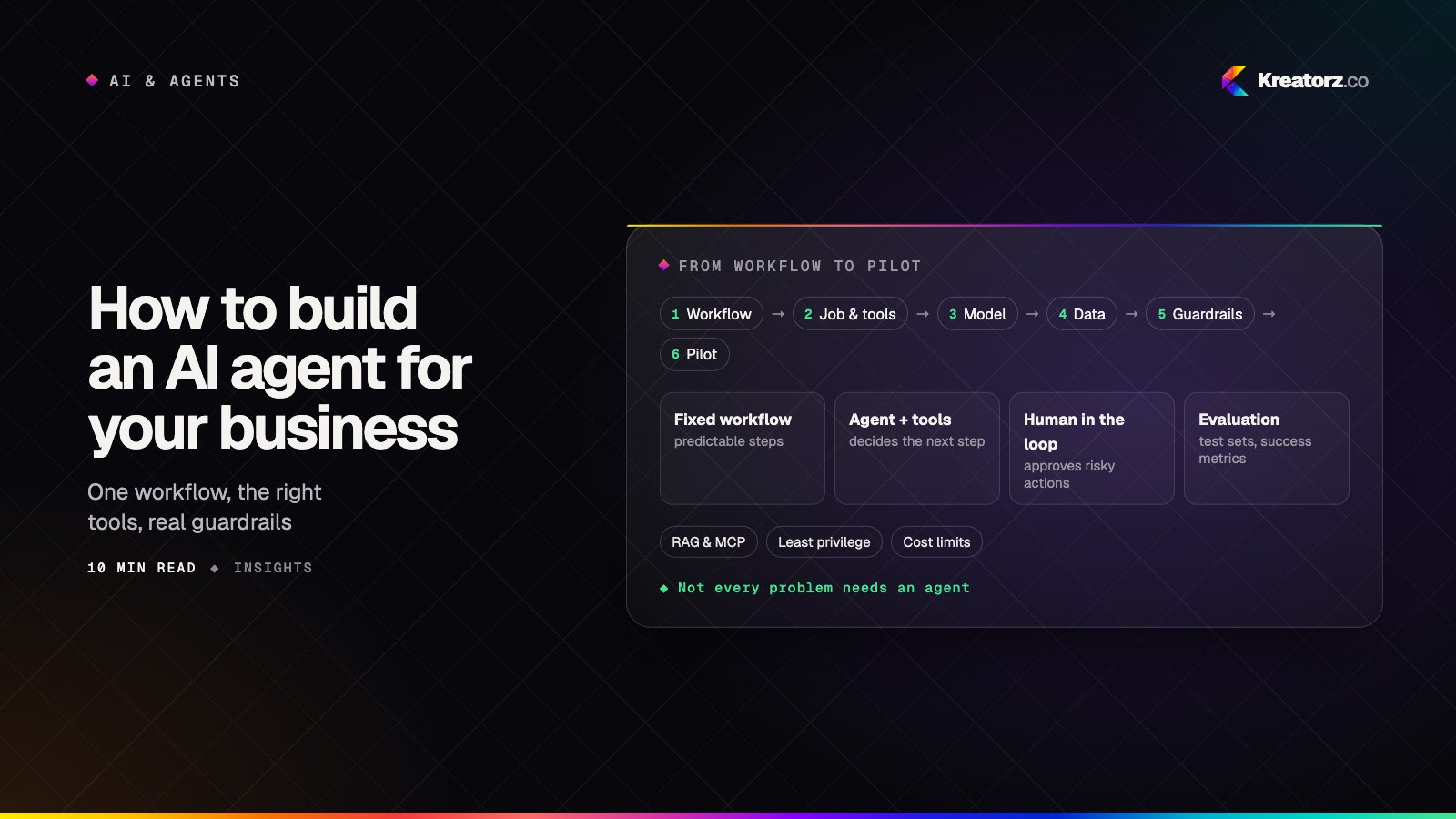
How to build an AI agent for your business: a step-by-step guide
An AI agent can take real work off your team's plate, but only if it is scoped, connected, tested and secured properly. Here is a practical, step-by-step guide for business owners and product leads, from choosing the first workflow to deciding whether to build, buy or hire.
18 November 2026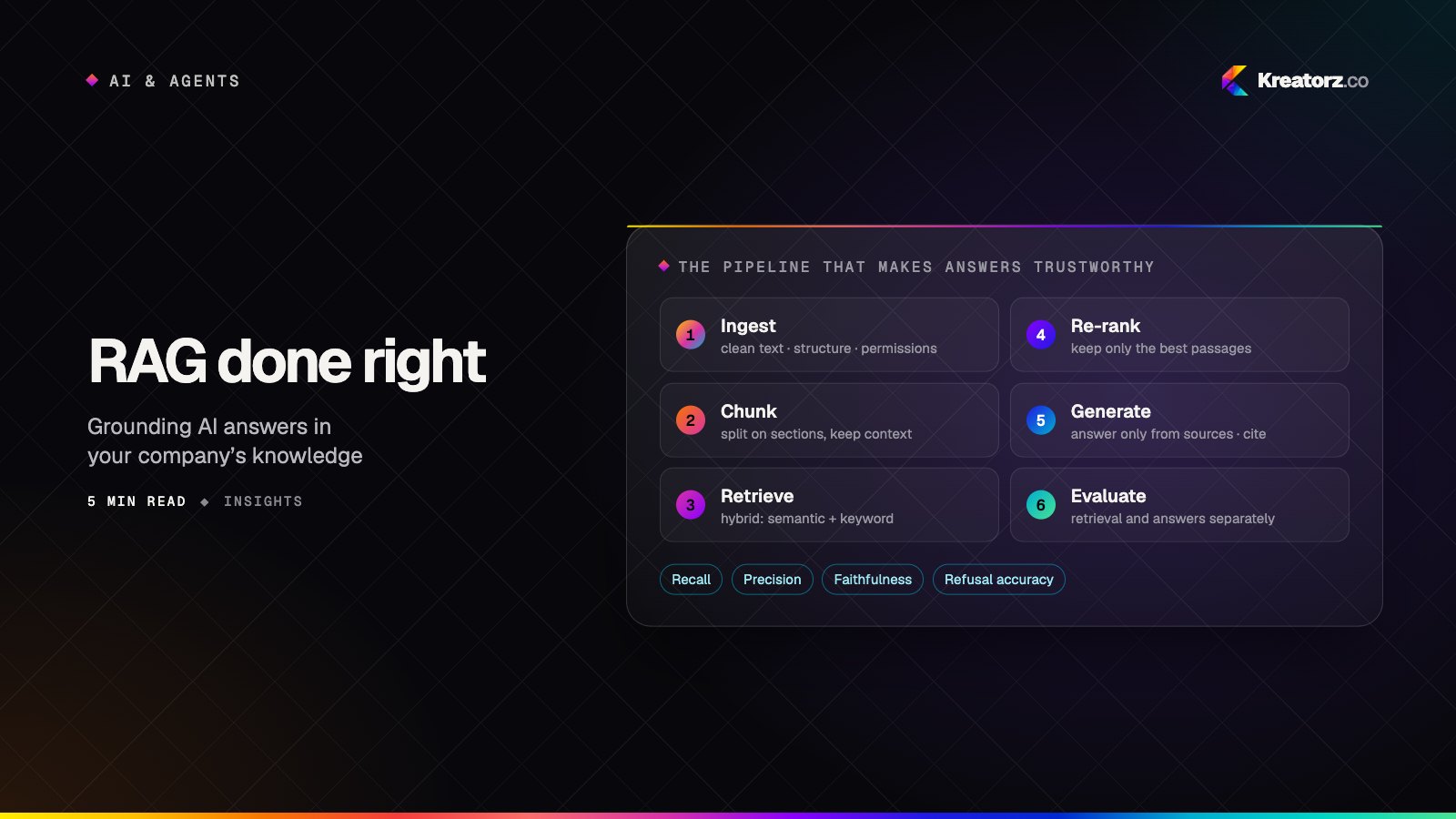
RAG done right: grounding AI in your company's knowledge
Retrieval-augmented generation is how AI answers from your documents instead of guessing. Most failures come from the pipeline around the model, not the model itself. Here is how to build one that holds up.
27 October 2026