
How long does it take to build an app? A realistic timeline, phase by phase
Most app timelines go wrong before a line of code is written — in scope, decisions and approvals rather than engineering. Here is how long each phase really takes, what stretches a schedule, and how to reach your first launch sooner.
Short answer
Simple apps often take around two to three months to first launch, medium-complexity apps around three to six months, and complex platforms six months or more, usually delivered in phases. The timeline depends on scope, platforms, integrations, compliance and how quickly decisions are made. Growing scope and slow feedback cause more delays than engineering, so a focused MVP helps most.
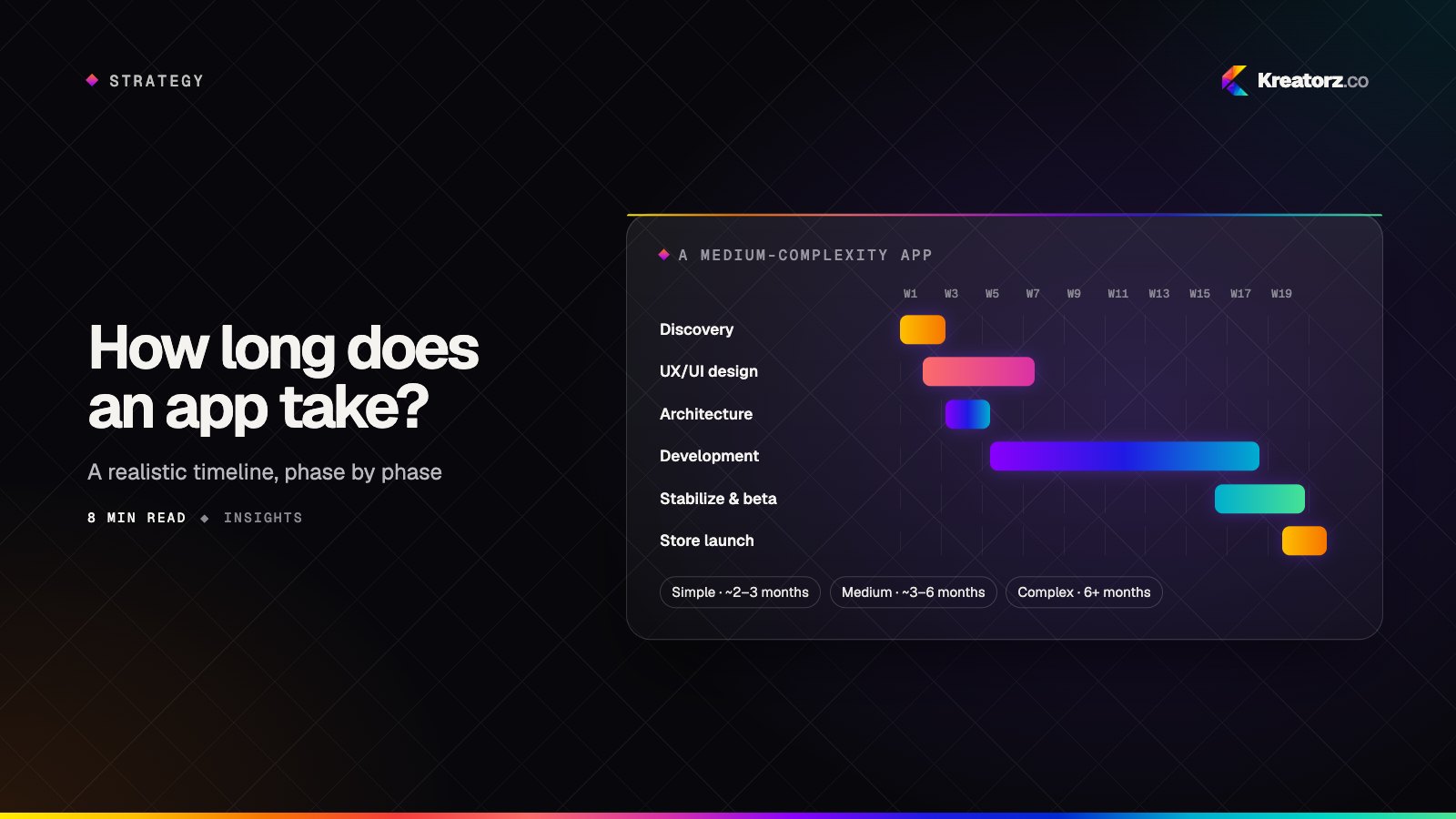
"How long does it take to build an app?" is usually the second question founders ask, right after cost — and the two are closely linked. Time is the biggest driver of an app development budget, because a project's cost is mostly the size of the team multiplied by the number of weeks it works.
The honest answer is that a timeline depends on scope, platforms, integrations and how quickly decisions get made. But "it depends" is not useful on its own. This guide gives you realistic ranges, explains what happens in each phase, and shows where schedules usually slip — so you can plan a launch date you can actually hit.
Typical app development timelines at a glance
These ranges assume an experienced team working in phases, with a client who is available to answer questions and review progress each week.
| App complexity | Typical examples | Typical time to first launch |
|---|---|---|
| Simple | Sign-in, a handful of core screens, push notifications, a basic admin | Around 2–3 months |
| Medium | Payments, user roles, messaging, third-party integrations, a fuller admin | Around 3–6 months |
| Complex | Marketplaces, real-time features, AI, heavy compliance, multiple user apps | 6 months or more, usually in phases |
Treat these as starting points rather than promises. Two apps with the same number of screens can differ by months if one of them needs a payment flow, an integration with an old system, or a security review.
What happens in each phase — and how long it takes
An app is not built in one block of "development". It moves through phases, and some of them overlap. Here is what each one involves.
1. Discovery and scoping (around 1–3 weeks)
Discovery turns an idea into a plan. The team clarifies who the users are, maps the core journeys, prioritizes features, identifies integrations and compliance requirements, and recommends platforms and architecture. The output is a phased plan with a timeline, a team shape and the assumptions behind the estimate.
This phase feels like a delay, but it is the one that saves the most time. Most schedule overruns trace back to decisions that were never made at the start.
2. UX and UI design (around 2–6 weeks)
Designers turn user journeys into wireframes, then into a polished interface and a clickable prototype. Testing the prototype with a few real users here is far cheaper than discovering a confusing flow after it has been built. Design can overlap with development: once the first flows are approved, engineers can start on them while later screens are still being designed.
3. Architecture and setup (around 1–2 weeks)
Before features, the team sets up the foundations: repositories, environments, the data model, authentication, the backend structure, cloud infrastructure and automated builds. Good setup work is invisible to users, but it is what lets the team ship quickly and safely for the rest of the project.
4. Development in iterations (the bulk of the timeline)
This is where most of the calendar goes. A well-run team works in one- to two-week iterations, delivering working software at the end of each one and reviewing it with you in a demo. Mobile screens, backend APIs, the admin panel and integrations are built in parallel by different people.
For a simple app, development might take six to eight weeks. For a medium app, often three to four months. Complex platforms are usually split into releases, so the first one ships while later features are still being built.
5. Testing and quality assurance (continuous, plus 1–3 weeks before launch)
Testing should happen throughout, not only at the end. Developers write automated tests as they go, and QA engineers test each iteration on real devices. Before launch there is a focused stabilization period: fixing the last bugs, testing on a wider range of phones, checking performance and running a beta with real users.
6. App store submission and launch (around 1–2 weeks)
Apple and Google both review apps before they go live. Reviews are often quick, but a rejection — for a missing privacy disclosure, an incomplete account-deletion flow or a login the reviewer could not use — can add days. Google Play also asks some new developer accounts to run a closed test before they can publish to everyone. We cover this in detail in our guide to launching on the App Store and Google Play.
What makes app projects take longer
In our experience, engineering speed is rarely the main cause of a late launch. These are the usual culprits.
- Scope that keeps growing. Every "small" addition has design, development, testing and review time attached. Ten of them can add a month.
- Slow decisions and feedback. If a design review takes two weeks to come back, the team either waits or builds on assumptions that may need to be undone.
- Unknown integrations. Connecting to an existing CRM, ERP, payment provider or legacy system is often where surprises hide — missing documentation, rate limits or test environments that do not exist.
- Compliance and security requirements discovered late. Requirements such as HIPAA for health data, accessibility, or a customer's security questionnaire are much faster to build in from the start than to retrofit. Our guide to building a HIPAA-compliant app explains why.
- Content that is not ready. Copy, product data, images, legal text and app store assets are often on the critical path and forgotten until the final weeks.
- Building two native apps instead of one. Separate iOS and Android codebases mean two teams and two sets of bugs to coordinate.
How to build your app faster without cutting corners
Launch a focused MVP first
The most effective way to shorten your time to market is to build less, first. A minimum viable product delivers the core value to a specific group of users and tests your riskiest assumption before you invest in everything else. Our article on going from idea to MVP in weeks explains how to decide what goes in, and our MVP development team helps founders scope a first release around evidence rather than a wish list.
Use one cross-platform codebase where it fits
For most consumer and business apps, Flutter app development or React Native development lets one team ship iOS and Android together. That shortens both the build and every future release. Native development still makes sense for apps that depend heavily on device hardware or advanced graphics — see choosing a mobile stack for the trade-offs.
Use proven building blocks
Authentication, payments, notifications, analytics, maps and video calling are solved problems. Using established services for them, rather than building from scratch, frees your team to spend its time on what makes your product different.
Make decisions quickly — and in one place
Name one decision-maker on your side, keep a shared backlog, and attend the weekly demo. Fast, clear feedback is one of the biggest accelerators any client can give a development team.
Release in phases
Plan the roadmap as a series of releases rather than a single launch date. Each release ships something useful, gathers real feedback and informs the next one. You reach users sooner, and you avoid spending months on features people turn out not to need.
Example timeline for a medium-complexity app
Here is how a typical medium-complexity app — say, a booking app with payments, user accounts, notifications and an admin panel — might come together.
| Weeks | Phase | What you see |
|---|---|---|
| 1–2 | Discovery and scoping | A prioritized feature list, user journeys and a phased plan |
| 2–6 | UX/UI design | Wireframes, then a clickable prototype tested with users |
| 3–4 | Architecture and setup | Environments, data model, sign-in and automated builds |
| 5–16 | Development iterations | A working build every one to two weeks, reviewed in demos |
| 15–18 | Stabilization and beta | Bug fixing, device testing and a beta with real users |
| 18–19 | Store submission and launch | Store listings, review and a controlled public release |
Phases overlap on purpose: design for later screens continues while the first ones are being built, and testing runs throughout. The result is a first launch in a little over four months, with a roadmap for what comes next.
How to get a reliable timeline for your app
A dependable timeline comes from the same place as a dependable quote: a short discovery phase. Bring your target users, the problem you are solving, reference apps you admire, the systems the app must connect to and any compliance requirements. Ask for a phased plan that shows the team, the milestones and the assumptions behind each date — not just a single launch day.
Our guide to how much it costs to build an app explains how timeline and budget fit together. If you would like help turning your idea into a realistic plan for a mobile app, get in touch — we are happy to talk it through.
Frequently asked questions
How long does it take to build an app?
Simple apps often take around two to three months, medium-complexity apps around three to six months, and complex platforms six months or more, usually delivered in phases. The exact timeline depends on scope, platforms, integrations, compliance needs and how quickly decisions are made.
How long does it take to build an MVP?
A focused MVP that delivers one core workflow well can often be designed, built and launched in around two to three months. The key is to scope it around the riskiest assumption you need to test rather than the full feature list.
Does building for both iOS and Android double the timeline?
Not if you use a cross-platform framework such as Flutter or React Native. One team can ship both platforms from a single codebase. Building two separate native apps takes noticeably more time and coordination.
How long does App Store and Google Play review take?
Reviews are often completed quickly, but you should plan for the possibility of a rejection and resubmission. Some new Google Play developer accounts must also run a closed test before publishing publicly. Allow one to two weeks in your plan for submission and launch.
What is the most common reason app projects run late?
Scope that keeps growing and slow decisions are more common causes than engineering problems. A clear first-release scope, a single decision-maker and weekly demos keep most projects on schedule.
Can I speed up my project by adding more developers?
Only up to a point. Adding people to a project that is already underway creates onboarding and coordination overhead. Reducing scope, making decisions faster and releasing in phases are usually more effective.
- Mobile app developmentWe plan, design, build and grow mobile apps for iPhone and Android — choosing the right technology for your product, not the one we happen to prefer.Explore
- MVP developmentWe help founders turn an idea into a focused, production-quality minimum viable product — scoped to test what matters, built to scale when the answer is yes.Explore
- Flutter app developmentWe design and build Flutter apps for iOS, Android and the web from a single codebase — native-quality performance, pixel-perfect design and a faster route to launch.Explore


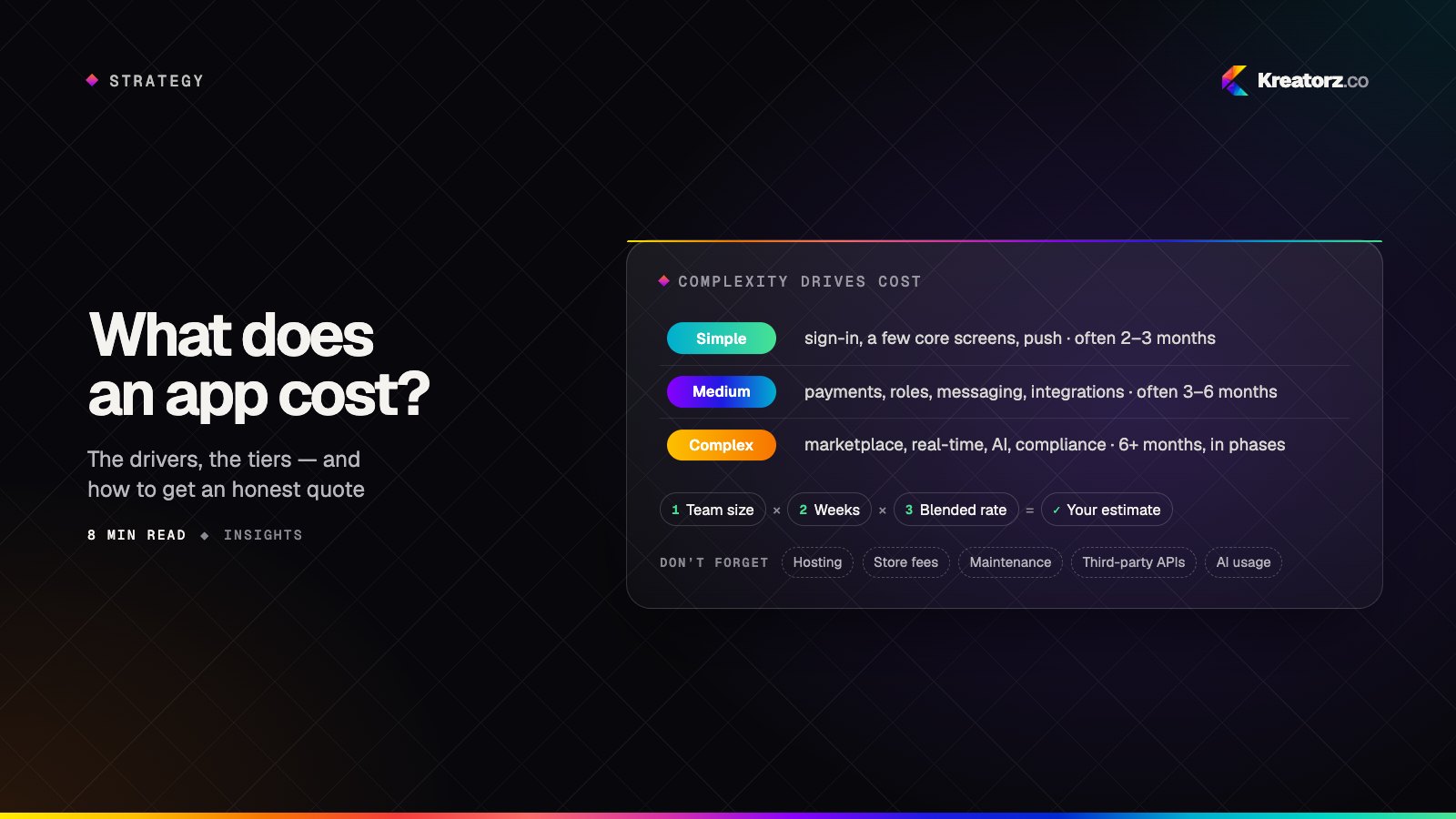
How much does it cost to build an app? A practical guide for 2026
There is no single price for an app, but there is a reliable way to reason about it. Here is what actually drives app development cost, how complexity tiers compare, how to estimate a budget yourself and how to reduce cost without cutting quality.
15 November 2026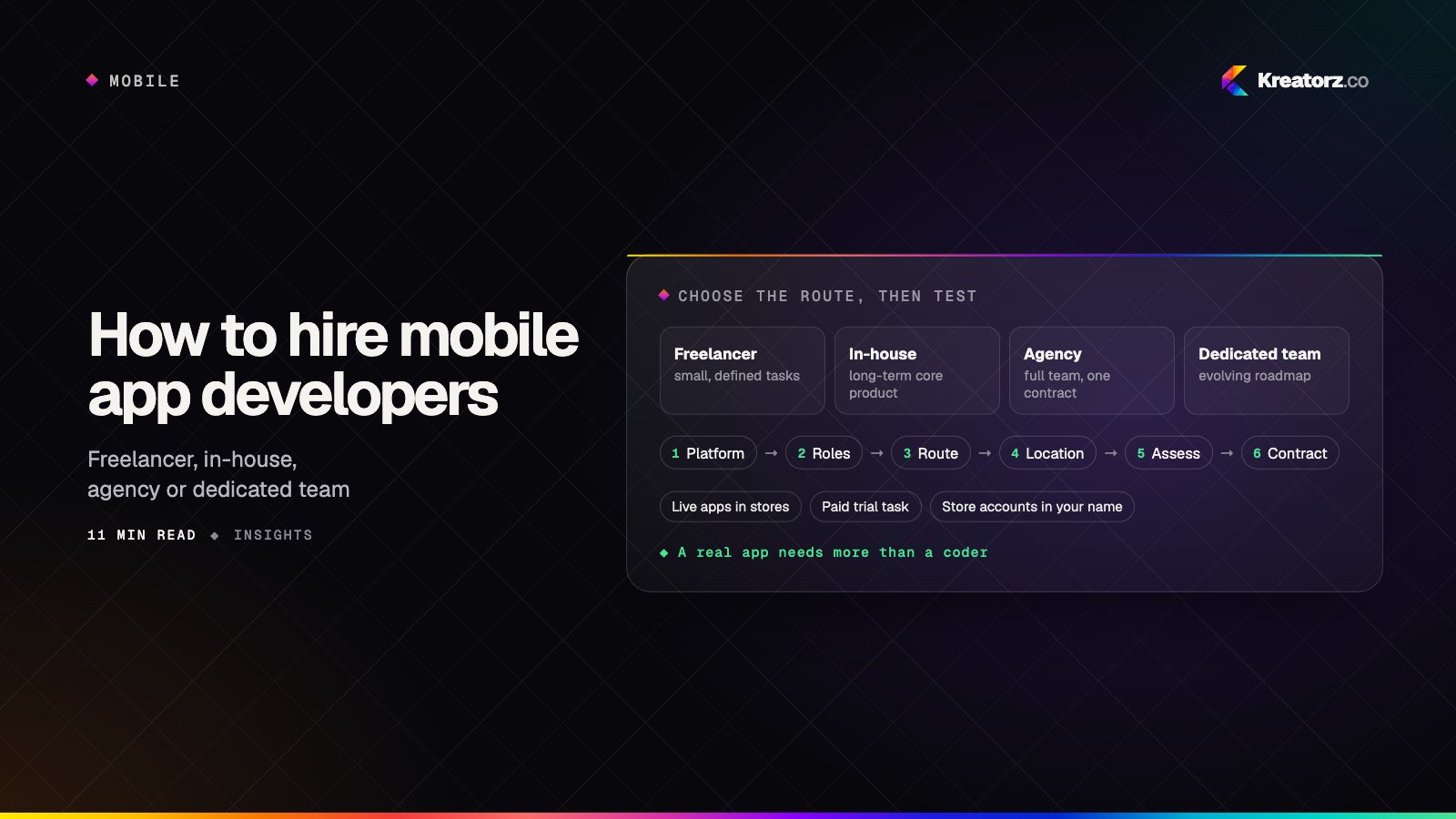
How to hire mobile app developers: a step-by-step guide
Hiring mobile app developers is about more than finding someone who can code. Here is a practical, step-by-step process for choosing between freelancers, in-house hires, agencies and dedicated teams, assessing developers properly, and protecting your app, code and store accounts.
18 November 2026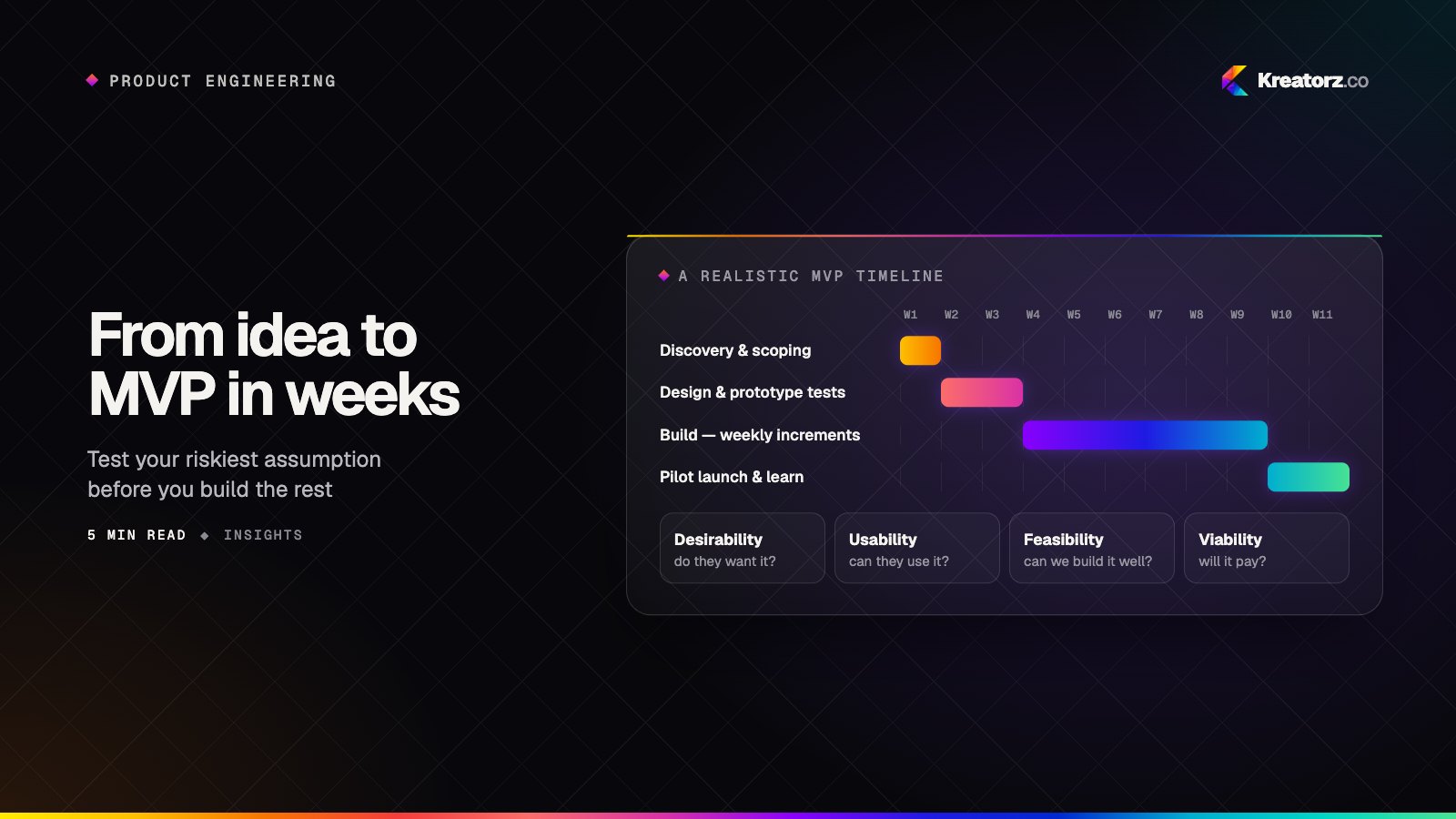
From idea to MVP in weeks: how to de-risk a new product
A minimum viable product is not a smaller version of the final product — it is the fastest honest test of your riskiest assumption. Here is the process we use to launch quickly without building the wrong thing.
14 October 2026