
How to build a HIPAA-compliant app: a practical guide for healthcare products
HIPAA compliance is not a feature you add before launch or a badge you can buy. It is a set of decisions about data, vendors and safeguards that shape your architecture from day one. Here is what applies, what to build and the mistakes that catch healthcare apps out.
Short answer
A HIPAA-compliant app protects health information with administrative, physical and technical safeguards and has business associate agreements with customers and every vendor that touches PHI. Confirm whether HIPAA applies, map where PHI flows, build role-based access, multi-factor authentication, encryption and audit logs, keep PHI out of notifications, logs and analytics, and repeat risk analysis regularly.
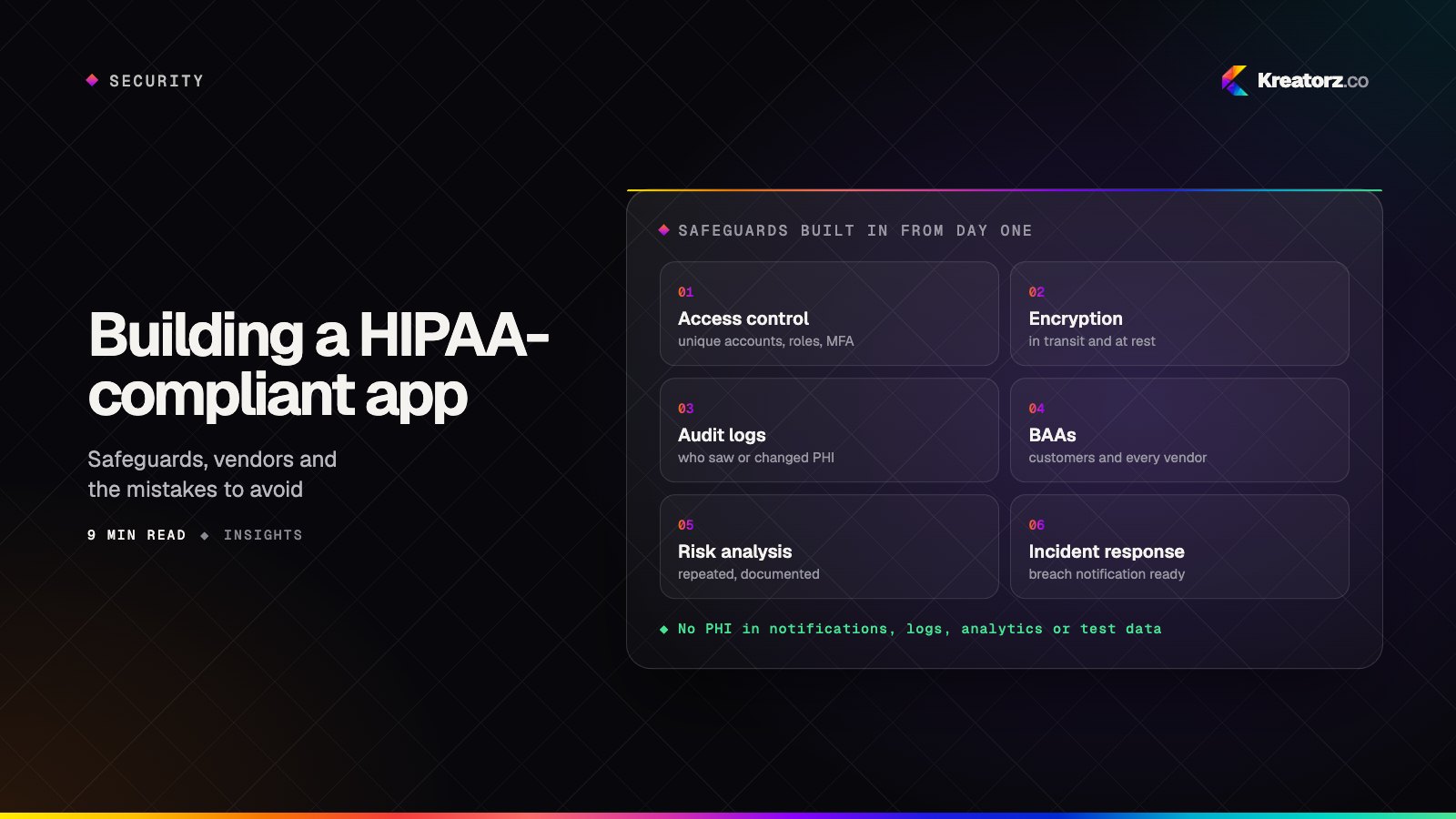
Building a healthcare app in the United States means building around HIPAA, the Health Insurance Portability and Accountability Act. Patients, providers and payers will only trust a product that protects their health information, and the consequences of getting it wrong — breach notifications, regulatory investigations, lost contracts — can end a young company.
The good news is that HIPAA compliance is well understood. It is not a single technology or a certificate; it is a set of administrative, physical and technical safeguards, plus the right agreements with the right vendors. Designed in from the start, it adds far less time and cost than retrofitting it later.
This guide explains when HIPAA applies to an app, what you need to build, how to set up your cloud and vendors, and the mistakes we see most often. It is a practical overview for founders and product leaders, not legal advice — for decisions about your specific situation, involve a qualified healthcare privacy attorney.
Does HIPAA apply to your app?
HIPAA applies to covered entities — health plans, health care clearinghouses and health care providers that conduct certain transactions electronically — and to their business associates, the companies that create, receive, maintain or transmit protected health information on their behalf.
In practice, that leads to three common situations:
| Your app… | Does HIPAA apply? |
|---|---|
| Is used by a hospital, clinic, practice or health plan to handle patient information | Yes — you are likely a business associate, and you will sign a business associate agreement |
| Is offered by a provider to its own patients (a patient portal, telehealth or remote-monitoring app) | Yes — the provider is a covered entity and the app handles its patients' information |
| Is a consumer wellness app that people use on their own, with no covered entity involved | Often not — but other laws, such as the FTC Health Breach Notification Rule and state health-privacy laws, may still apply |
The third row is where many founders get caught out. Not being covered by HIPAA does not mean health data is unregulated. The Federal Trade Commission has taken action against health apps that shared users' health information with advertising platforms, and several states have their own consumer health-data laws. If you collect health information, plan to protect it to a high standard whatever your legal category.
What counts as protected health information (PHI)?
Protected health information is individually identifiable health information — information about a person's health, care or payment for care that can be linked to them. That includes the obvious, like diagnoses, lab results and prescriptions, and the less obvious, like appointment times, the fact that someone is a patient of a particular clinic, or a device identifier tied to their health readings.
When PHI is stored or transmitted electronically it is called ePHI, and that is what the HIPAA Security Rule protects. A useful design habit is to map exactly where PHI enters your system, where it is stored, who can see it and where it leaves — including logs, backups, analytics and notifications.
The three HIPAA rules every app team should know
- The Privacy Rule sets the standards for how PHI may be used and disclosed, and gives patients rights over their information, such as access to their records.
- The Security Rule requires administrative, physical and technical safeguards to protect the confidentiality, integrity and availability of ePHI.
- The Breach Notification Rule requires notification after a breach of unsecured PHI — to affected individuals without unreasonable delay and no later than 60 days after discovery, to the Department of Health and Human Services, and, for larger breaches, to the media.
Business associate agreements: the step people forget
If your product handles PHI for a covered entity, you will sign a business associate agreement (BAA) with that customer. The same principle flows down to your own suppliers: any vendor that stores or processes PHI for you needs a BAA with you too.
That typically includes your cloud provider, database and backup services, email and SMS providers that carry PHI, customer-support tools that might see it, and any AI model provider you send it to. Major cloud platforms such as AWS, Google Cloud and Microsoft Azure offer BAAs, but they cover only specific, eligible services — so you must check each service you use against the provider's list.
If a vendor will not sign a BAA, it must not receive PHI. That single rule shapes many product decisions.
Technical safeguards to build into your app
The Security Rule describes the outcomes you need rather than prescribing exact technologies. In a modern app, these are the controls we build in from the first sprint.
Access control
- Unique accounts for every user — no shared logins.
- Role-based permissions so people see only the information they need for their job, often called the "minimum necessary" principle.
- Strong authentication, with multi-factor authentication for staff and administrators.
- Automatic logout or session timeouts, especially on shared devices.
Encryption
- Encrypt data in transit with current TLS for every connection, including between your own services.
- Encrypt data at rest in databases, file storage and backups, with keys managed through a dedicated key-management service.
- Avoid storing PHI on the device where you can. Where you must, use the platform's secure, encrypted storage rather than plain files or preferences.
Audit controls
Record who accessed or changed PHI, what they did and when, in logs that cannot be quietly edited. Audit logs answer the questions you will be asked after an incident, and many healthcare customers will ask to see them during procurement.
Integrity and availability
Protect records from improper changes, back them up, and test that you can actually restore them. A disaster-recovery plan that has never been tested is a hope, not a plan.
Secure development
Review code, scan dependencies for known vulnerabilities, keep secrets out of source code, and run regular security testing, including penetration tests before major releases. Our article on securing AI-powered products covers the extra risks that come with AI features.
Administrative and physical safeguards
Technology is only part of compliance. HIPAA also expects:
- A risk analysis, repeated regularly, that identifies threats to ePHI and how you address them.
- Named security and privacy responsibilities — someone accountable for each.
- Written policies and procedures, and evidence that they are followed. HIPAA documentation must generally be kept for six years.
- Workforce training so everyone with access understands their obligations.
- An incident response plan that covers detection, investigation and breach notification.
- Physical safeguards for workstations and devices — largely handled by your cloud provider's data centers, but still relevant to laptops and phones your team uses.
Choosing your cloud and architecture
A HIPAA-ready architecture keeps PHI in as few places as possible and makes every access deliberate. A typical setup on AWS — one of the platforms our AWS development team works with most — looks like this:
- PHI stored only in HIPAA-eligible services covered by the BAA, in a dedicated production account.
- Private networking, so databases are never reachable from the public internet.
- Encryption with managed keys, centralized audit logging and automated alerts on unusual access.
- Separate environments for development and testing that use realistic but synthetic data — never real patient records.
- Infrastructure defined as code, so the secure configuration is repeatable and reviewable.
On the application side, the backend — not the mobile app — enforces permissions and talks to every service that touches PHI. A full-stack development team can design the API so each request is authorized and logged.
AI features and PHI
AI can be valuable in healthcare — summarizing notes, answering questions about care plans, triaging messages — but it adds new questions. Send PHI only to model providers that will sign a BAA and do not use your data to train their models. Keep prompts and responses inside your logging and retention policies. Ground answers in approved clinical content, as we describe in RAG done right, and keep a clinician in the loop for anything that affects care. Our AI app development work follows the same safeguards as the rest of the product.
Common HIPAA mistakes in healthcare apps
- PHI in push notifications. Lock screens are public. Send "You have a new message" rather than the message itself.
- Analytics and advertising tools that receive health data. Tracking pixels and analytics SDKs can leak PHI through page names, events or URLs. Configure them carefully, or keep them out of authenticated areas entirely.
- PHI in logs and error reports. Crash reporters and application logs often capture request bodies. Scrub them, or make sure those tools are covered by a BAA.
- Real patient data in test environments. Use synthetic data for development and QA.
- Email and SMS that carry PHI through providers without a BAA.
- Treating "HIPAA compliant" as a one-time certification. There is no official HIPAA certification from the government. Compliance is an ongoing program of safeguards, reviews and evidence.
A HIPAA app development checklist
Before launch, confirm that you have:
- determined whether HIPAA applies, and which other health-privacy laws might;
- mapped every place PHI is collected, stored, processed and sent;
- signed BAAs with your customers and with every vendor that touches PHI;
- built role-based access, multi-factor authentication, session timeouts and audit logging;
- encrypted PHI in transit and at rest, and kept it off devices where possible;
- removed PHI from notifications, logs, analytics and test data;
- completed a risk analysis and a security test, and fixed what they found;
- written your policies, trained your team and rehearsed your incident response.
Building a healthcare app with confidence
HIPAA compliance rewards early, deliberate decisions. When safeguards are part of the architecture rather than a pre-launch scramble, they cost less, slow you down less and make your product easier to sell to the hospitals, clinics and health plans that will ask hard questions in procurement.
If you are planning a healthcare product — a patient app, a provider tool or a platform that connects them — our healthcare app development team can help you scope it with compliance built in from the start. Get in touch to talk it through.
Frequently asked questions
What makes an app HIPAA compliant?
An app supports HIPAA compliance when the organization behind it protects PHI with administrative, physical and technical safeguards — such as access controls, encryption, audit logs, risk analysis, policies and training — and has business associate agreements with customers and vendors that handle PHI. Compliance belongs to the whole organization and its processes, not just the code.
Does my health app need to be HIPAA compliant?
If your app handles protected health information for or on behalf of a covered entity — a health plan, clearinghouse or health care provider — HIPAA applies. Consumer health apps used independently may fall outside HIPAA but can still be subject to the FTC Health Breach Notification Rule and state health-privacy laws.
Is there an official HIPAA certification?
No. The U.S. government does not certify apps or companies as HIPAA compliant. Some organizations use independent assessments or security frameworks to demonstrate their controls, but HIPAA compliance itself is an ongoing responsibility.
Can I use AWS, Google Cloud or Azure for a HIPAA-compliant app?
Yes. Each offers a business associate agreement that covers a specific set of eligible services. You must sign the BAA, use only covered services for PHI and configure them securely — the cloud provider secures the infrastructure, while you remain responsible for how you use it.
Can I use AI models with patient data?
Only with providers that will sign a business associate agreement and handle data under terms that suit healthcare, such as not training on your data. Keep AI inputs and outputs within your security and retention controls, and keep clinicians in the loop for decisions that affect care.
Does HIPAA compliance make app development much more expensive?
It adds work — security architecture, vendor reviews, audit logging, documentation and testing — but much less when it is designed in from the start. Retrofitting compliance into an app that was not built for it is usually far more expensive.
- Healthcare & HIPAA appsWe design and build patient apps, telemedicine platforms, provider tools and AI features with HIPAA safeguards built into the architecture from day one.Explore
- Mobile app developmentWe plan, design, build and grow mobile apps for iPhone and Android — choosing the right technology for your product, not the one we happen to prefer.Explore
- AWS cloud developmentWe design, build and run applications on AWS — serverless, containers, data and AI services — with infrastructure as code, sensible security and costs you can predict.Explore


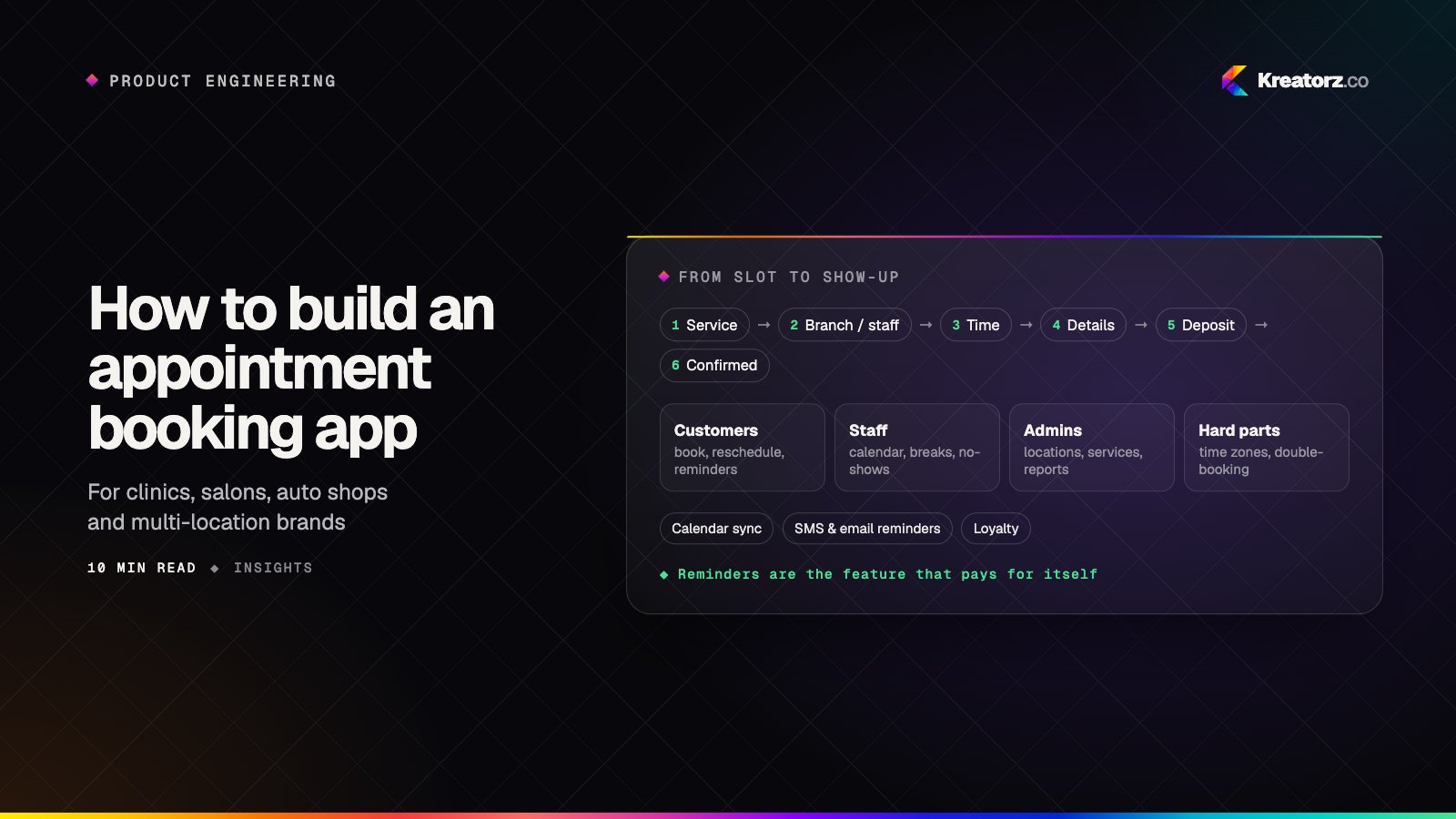
How to build an appointment booking app for your business
An appointment booking app looks simple until two customers grab the same slot, a reminder goes out in the wrong time zone or a no-show empties a chair. Here is a step-by-step guide for clinics, salons, studios and multi-location service businesses deciding whether to buy or build, and how to build it well.
21 November 2026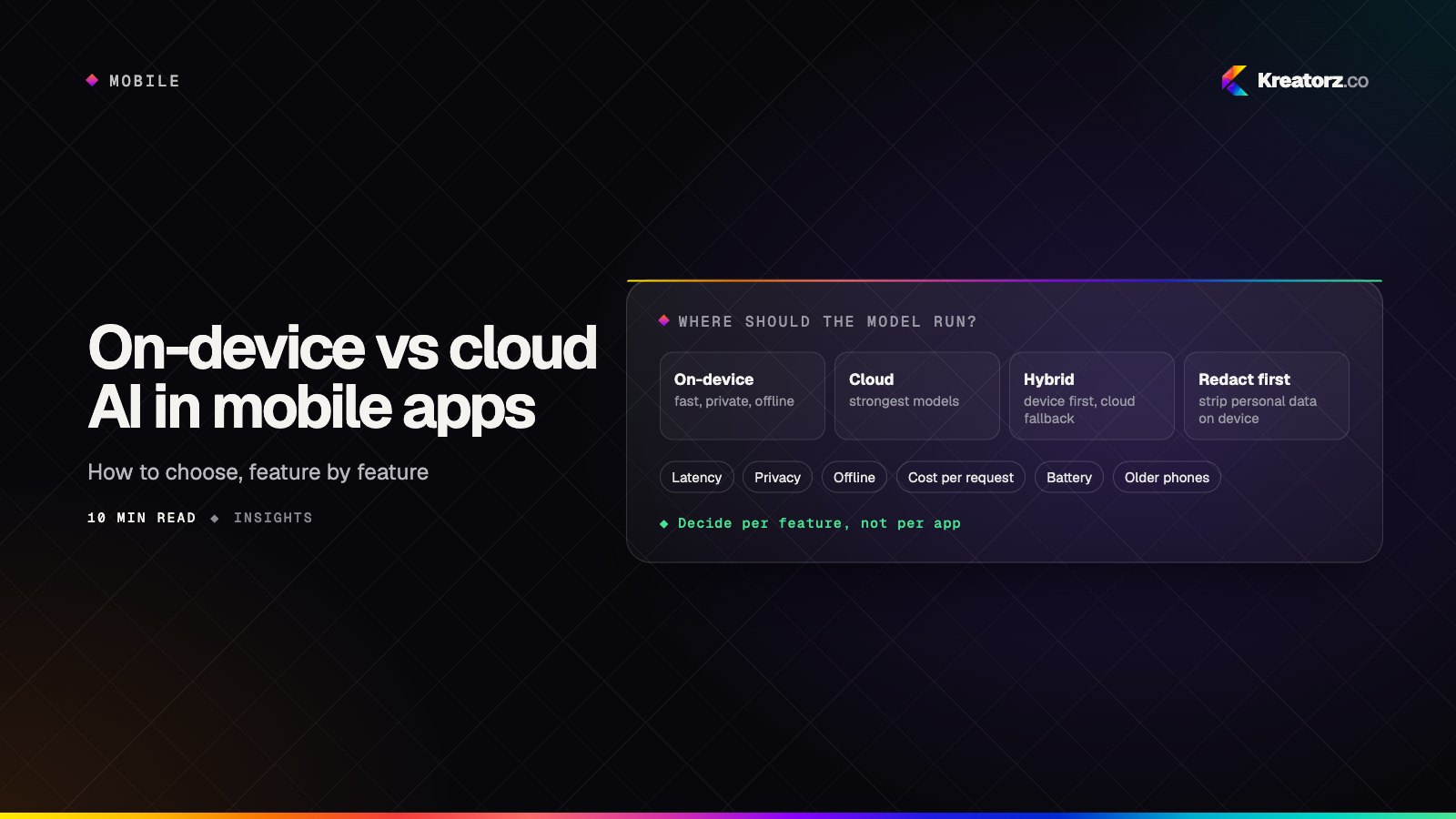
On-device vs cloud vs hybrid AI in mobile apps: how to choose
Phones can now run capable small models, and both Apple and Google offer on-device AI frameworks. That does not make the cloud obsolete. Here is a step-by-step guide to deciding, feature by feature, where the AI in your mobile app should run.
19 November 2026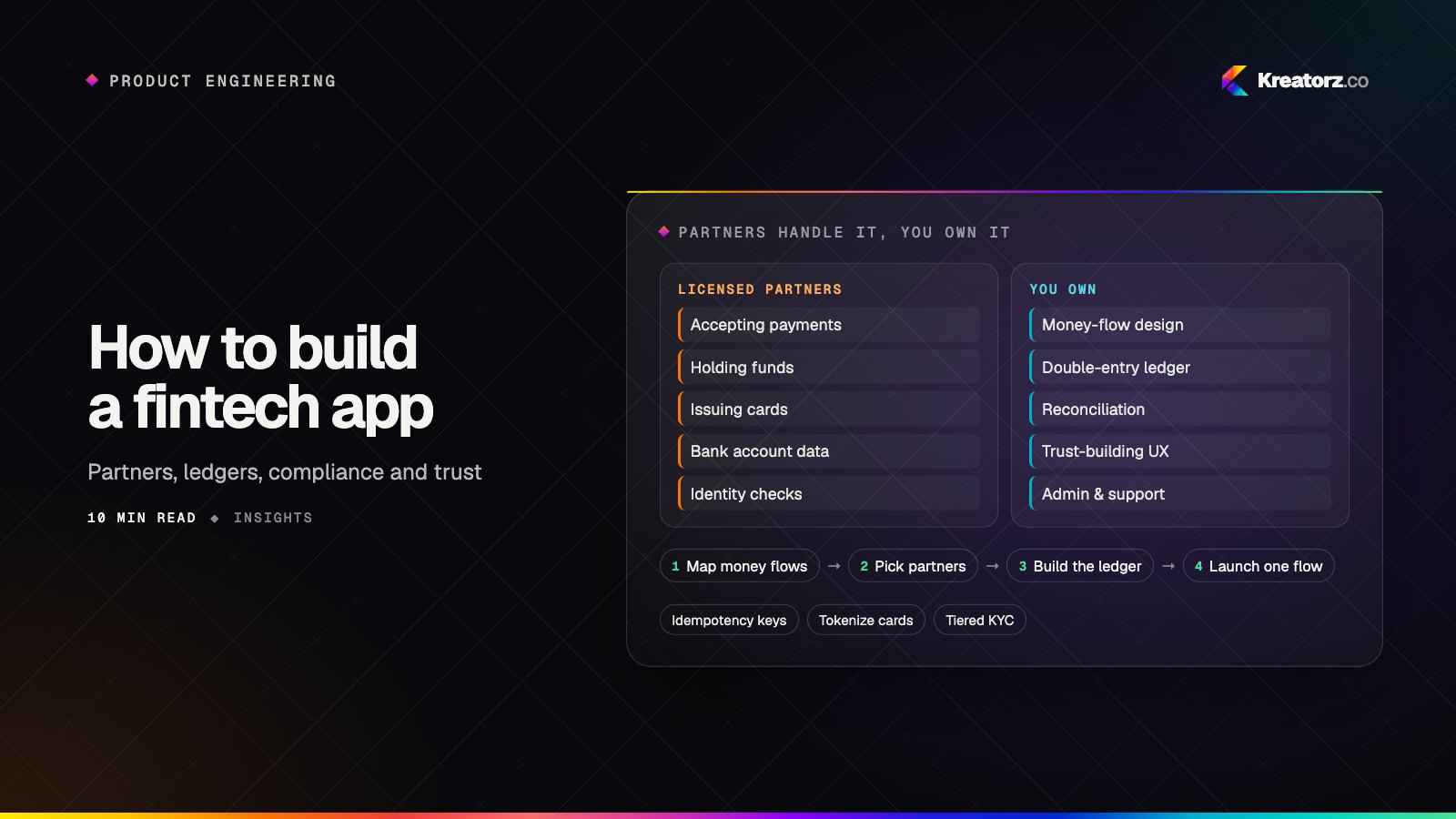
How to build a fintech app: partners, ledgers, compliance and trust
A fintech app is a consumer product sitting on top of regulated infrastructure. Here is how to choose licensed partners, design money flows and a ledger that always balances, reduce your compliance and security burden, build trust into the UX and scope an MVP that can actually launch.
17 November 2026