
PWA vs native app in 2026: how to choose
Progressive web apps can now install, work offline and send push notifications on both iPhone and Android. Native apps still win on device access and store presence. Here is how the two really compare on capability, cost, distribution, SEO and offline, and how to decide which one your product needs, or whether you need both.
Short answer
Choose a PWA when your product depends on reach, search, fast iteration or a tight budget; choose a native or cross-platform app when it needs deep device access, background work, dependable iPhone push or store presence. PWAs can install, work offline and send push, though iPhone push requires adding the app to the home screen. Many products use both.
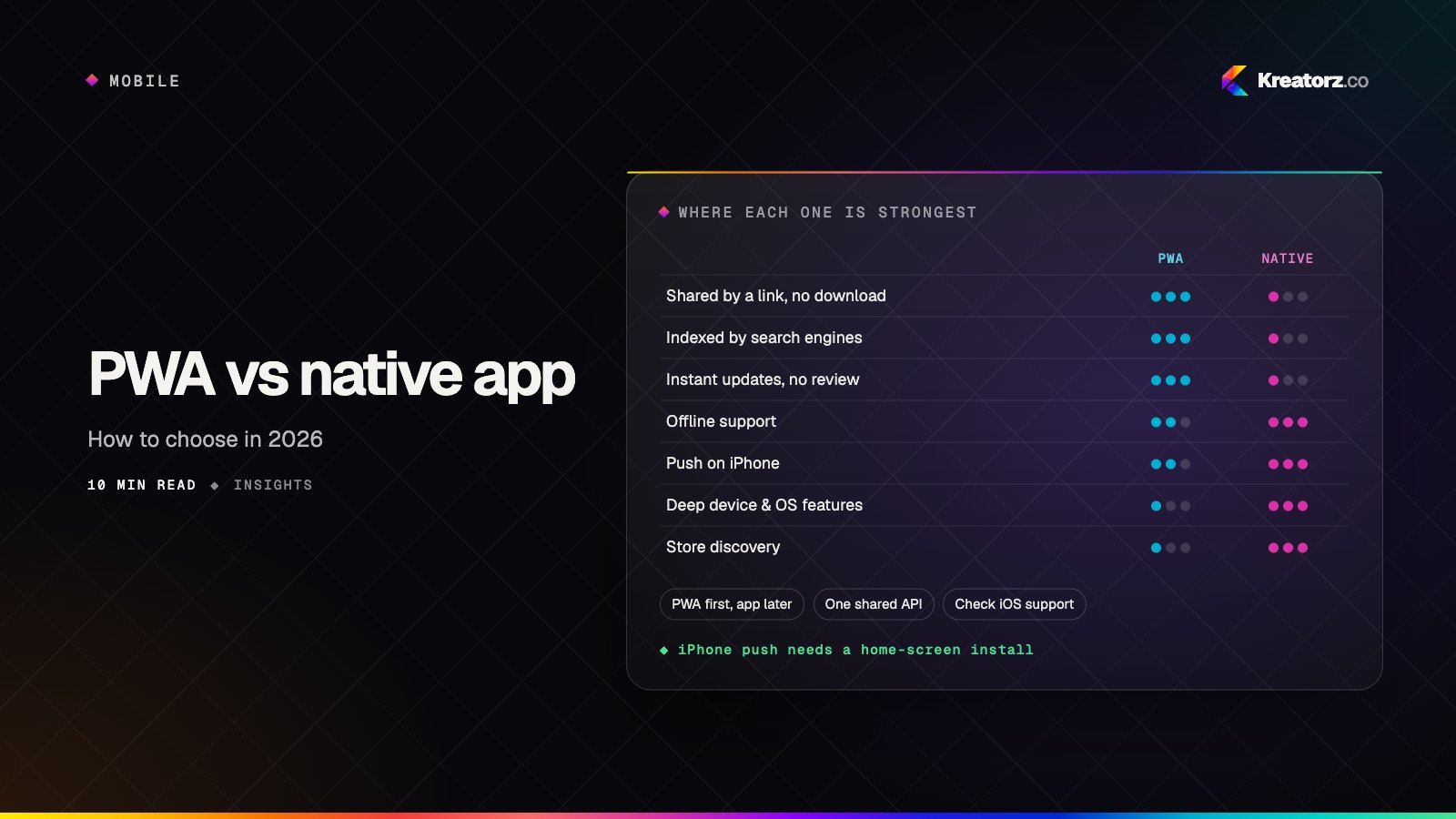
"Do we need an app?" is one of the first questions on almost every product project. For years the answer was "probably, yes," because the mobile web couldn't install, work offline or send notifications. That has changed: a well-built progressive web app (PWA) now does all three on both Android and iPhone.
That doesn't make PWAs right for everyone. Native apps still lead on device access, background work and store presence. But the choice is now a genuine trade-off rather than a default, and making it well can save months of work. This guide compares the two honestly, explains where the limits are, especially on iOS, and gives you a framework for deciding.
What a PWA is, and what "native" means here
A progressive web app is a website that behaves like an app. A web app manifest gives it a name, icons and a full-screen mode so it can be installed to the home screen. A service worker, a script that sits between the app and the network, caches files and data so it loads instantly and works offline. Add HTTPS and a touch-friendly interface, and you have a PWA.
By native app we mean anything distributed through the App Store and Google Play: fully native Swift and Kotlin apps, and cross-platform apps built with Flutter or React Native. If you're choosing between those, see our guide to choosing a mobile stack.
The short version
| PWA | Native or cross-platform app | |
|---|---|---|
| How users get it | A link, your website or search results | App Store and Google Play |
| Install | Optional; added to the home screen from the browser | Download from a store |
| Codebase | One web codebase for phones, tablets and desktop | One cross-platform codebase, or one per platform |
| Updates | Live as soon as you deploy | Through store review for each release |
| Offline | Yes, with service workers and on-device storage | Yes, with full control over storage |
| Push notifications | Yes on Android; on iPhone, once installed to the home screen | Yes, on both platforms |
| Device features | Common features; notable gaps on iOS | Full access to hardware and OS features |
| Background work | Limited | Extensive, within platform rules |
| Search engines | Pages can be indexed and ranked | Store search; app screens are mostly invisible to search |
| Store discovery | Not by default | Yes |
The rest of this guide explains the trade-offs behind each row.
What PWAs can do in 2026, and where the limits are
On Android
Android is the friendlier platform. Chrome can offer an install prompt, installed PWAs behave much like native apps, and web push works whether or not the app is installed. A PWA can also be packaged for Google Play without a rebuild.
On iPhone and iPad
iOS supports PWAs with more caveats, and behavior has shifted between versions. The well-established points:
- Home-screen install is manual. There is no automatic install prompt like Android's. Users add the app from the browser's Share menu ("Add to Home Screen"), so your app needs to explain how. Once added, it opens full screen with its own icon.
- Web push works for installed web apps. Since iOS 16.4, web apps added to the home screen can request permission to send push notifications. A PWA that's only open in a Safari tab can't. In practice that means push on iPhone depends on persuading users to install first.
- Storage is more constrained. Browsers on iOS limit how much data a web app can store, and Safari can clear data for websites that haven't been used for a while. Home-screen apps are treated more favorably, but you should treat on-device data as a cache that can be rebuilt from your server, not as the only copy.
- Some device APIs aren't available. Features such as Web Bluetooth, Web NFC and background sync are not supported in Safari, while they are in Chrome on Android. Camera, location, file uploads, sharing and web payments generally work.
- No App Store presence by default. A PWA doesn't appear in App Store search, and Apple's review guidelines generally expect more than a wrapped website, so "just package the PWA" is rarely a reliable route onto iOS.
Two hedges. These capabilities change with iOS releases, so check current support against your exact feature list. And rules have at times differed by region: in 2024 Apple briefly planned to change how home-screen web apps worked in the EU before reversing course, so confirm the details for your launch market.
Where native still wins
Native and cross-platform apps remain the clear choice for deep hardware access (Bluetooth devices, NFC, health data), reliable background work (location tracking, audio with lock-screen controls), OS integration such as widgets and watch apps, demanding performance like AR, and products that must be in the stores.
Cost and time to market
A PWA is usually cheaper and faster to launch:
- One codebase serves iPhone, Android, tablets and desktop, with no separate website to build alongside.
- No store process: no listings, privacy forms or review cycles for each release.
- Instant updates: fixes ship when you deploy, and every user is on the latest version.
Flutter and React Native have narrowed the gap, since one codebase covers iOS and Android. But most products still need a website, so a store app usually means maintaining a web app and a mobile app.
The real comparison is your feature list. If a PWA covers it, you save. If you'd need workarounds, the savings evaporate. Our guide to how much it costs to build an app breaks down the factors that drive budget either way.
Distribution and discovery
This is where the two differ most, and it often decides the question.
PWAs are distributed by links. Every page has a URL you can share in an email, a text, a QR code or an ad, with no download step between the click and the product. For internal tools, you can roll out to staff without enterprise app distribution.
Native apps are distributed by stores. Stores bring trust, ratings and a familiar install flow, and some audiences expect a "real app." The cost is review for every release, and getting found in a crowded store is its own discipline. Our guide to launching on the App Store and Google Play covers what that involves.
The SEO advantage
A PWA is made of web pages, which search engines can crawl, index and rank. Product pages, articles, listings and menus can bring in visitors from search every day, landing them directly inside your product. Most native app screens are invisible to search; people find the app through the store, ads or your website. If search matters to your business, as it does for most eCommerce, content, marketplace and local service products, a PWA keeps that channel open.
The PWA has to be built for it: server-rendered or pre-rendered pages, a real URL for each piece of content, good metadata and fast loads. A single-page app that renders everything in the browser can give much of the advantage away. That's one reason we often build PWAs with React and Next.js.
Offline support: service workers and caching
Offline support is what makes a PWA feel like an app. The service worker intercepts network requests and decides how to answer each one:
- Cache first for the app shell (HTML, CSS, JavaScript, fonts, icons), so the app opens instantly even offline.
- Network first, falling back to cache for changing content: fresh when online, the last version when not.
- Stale while revalidate for lists and profiles: show the cached copy, then update it in the background.
For data, IndexedDB stores records on the device, and changes made offline can be queued and sent when the connection returns. Where background sync is supported that happens automatically; on iOS, sync when the user next opens the app.
Native apps can do all this with more control over storage and background timing. For most products a PWA is enough, if you design for offline from the start: decide what must work offline, what can wait, and how to resolve conflicts.
Push notifications
Push is often the feature that tips teams toward native, so it's worth being precise.
- Android: web push works well for PWAs, installed or not.
- iPhone and iPad: web push works for web apps added to the home screen, after the user grants permission. Push from a regular Safari tab isn't available.
- Native apps: push works on both platforms, and permission prompts are a familiar part of onboarding.
So the real question is "will enough of my iPhone users install it?" If notifications such as reminders, messages or order updates are central and many users are on iPhone, native or cross-platform is safer. If push is a nice extra, a PWA delivers it to those who install. Either way, ask for permission in context, never on first load.
A decision framework
Work through these questions in order. The first one that clearly applies usually settles it.
- Need a hardware or OS feature a PWA can't reach on iOS? Go native or cross-platform.
- Is reliable push on iPhone central? Lean native or cross-platform.
- Must you be in the stores? Because customers search there or partners require it. You need a store app.
- Is search a major channel? You need indexable web pages: a PWA, alongside any store app.
- Validating an idea fast or on a tight budget? A PWA is often the quickest path to real users; see idea to MVP in weeks.
- Internal or field-team tool? A PWA shared by link avoids store review.
| Product type | Usually a good fit |
|---|---|
| eCommerce storefront, menus, booking | PWA, adding a store app later if loyalty and push justify it |
| Content, learning, news | PWA |
| Internal tools, inspections, checklists | PWA |
| MVP to test demand | PWA, or cross-platform if the core feature needs native access |
| Fitness tracking, wearables, health data | Native or cross-platform |
| Messaging, social, dating | Cross-platform or native, often with a web app |
| Fintech and banking | Native or cross-platform, usually with a web app for account access |
Hybrid strategies: you don't have to choose once
Many strong mobile products use both. The key is a shared backend: one API, database, authentication system and set of business rules, with different front ends on top.
- PWA first, app later. Launch a PWA, learn what users need, then build a Flutter or React Native app on the same API when iPhone push or device access justifies it. Nothing on the backend is thrown away.
- App for loyal users, PWA for everyone else. Engaged customers install the store app; first-time visitors from search and ads use the PWA.
- Shared code. A React PWA and a React Native app can share business logic, types and API clients.
- Packaged PWA for Android. List the PWA on Google Play and use a cross-platform app for iOS.
Treat the API as the product's core and every app as a client of it, so business rules never have to be duplicated across front ends.
The bottom line
In 2026 a PWA is a serious option, not a compromise. If your product depends on reach, search and fast iteration, a PWA gets you to users sooner and for less. If it depends on deep device access, background work, dependable iPhone push or store presence, build a native or cross-platform app. If it needs both, build one backend with the right front end for each audience.
We build PWAs, native and cross-platform apps and the backends behind them, and we'll tell you honestly which your product needs. See our PWA development and mobile app development services, or book a free consultation.
Frequently asked questions
Is a PWA cheaper than a native app?
Usually. One web codebase serves every device and there's no store release process. The savings depend on your feature list: if you need capabilities a PWA can't reach, especially on iOS, workarounds can cancel them out.
Do PWAs work on iPhone?
Yes. iPhones and iPads can add PWAs to the home screen, run them full screen, cache them for offline use and, for installed web apps, receive push notifications. Some device APIs and background features remain limited, and support changes with iOS versions.
Can a PWA send push notifications on iOS?
Yes, if the user has added it to the home screen and granted permission. Support arrived in iOS 16.4. A PWA open only in a Safari tab can't send push notifications.
Can I put my PWA in the App Store?
A PWA can be packaged for Google Play without a rebuild. Apple's App Store generally expects more than a wrapped website, so for iOS store presence a cross-platform app sharing the PWA's backend is usually the more reliable route.
Is a PWA better for SEO than a native app?
Yes. A PWA's pages are real web pages that search engines can crawl and rank, while most native app screens aren't indexed. To benefit, the PWA needs server-rendered or pre-rendered pages and fast load times.
Can we start with a PWA and add a native app later?
Yes, and it's a common path. If the PWA is built on a clean, shared API, a Flutter or React Native app can be added later on the same backend without rebuilding what already works.
- Progressive web apps (PWA)We build progressive web apps that install to the home screen, work offline, send push notifications and load instantly — one codebase for every device, at a fraction…Explore
- Mobile app developmentWe plan, design, build and grow mobile apps for iPhone and Android — choosing the right technology for your product, not the one we happen to prefer.Explore
- React & Next.js developmentWe build React and Next.js front ends that rank, load quickly and stay easy to change — from marketing sites and dashboards to full SaaS products.Explore


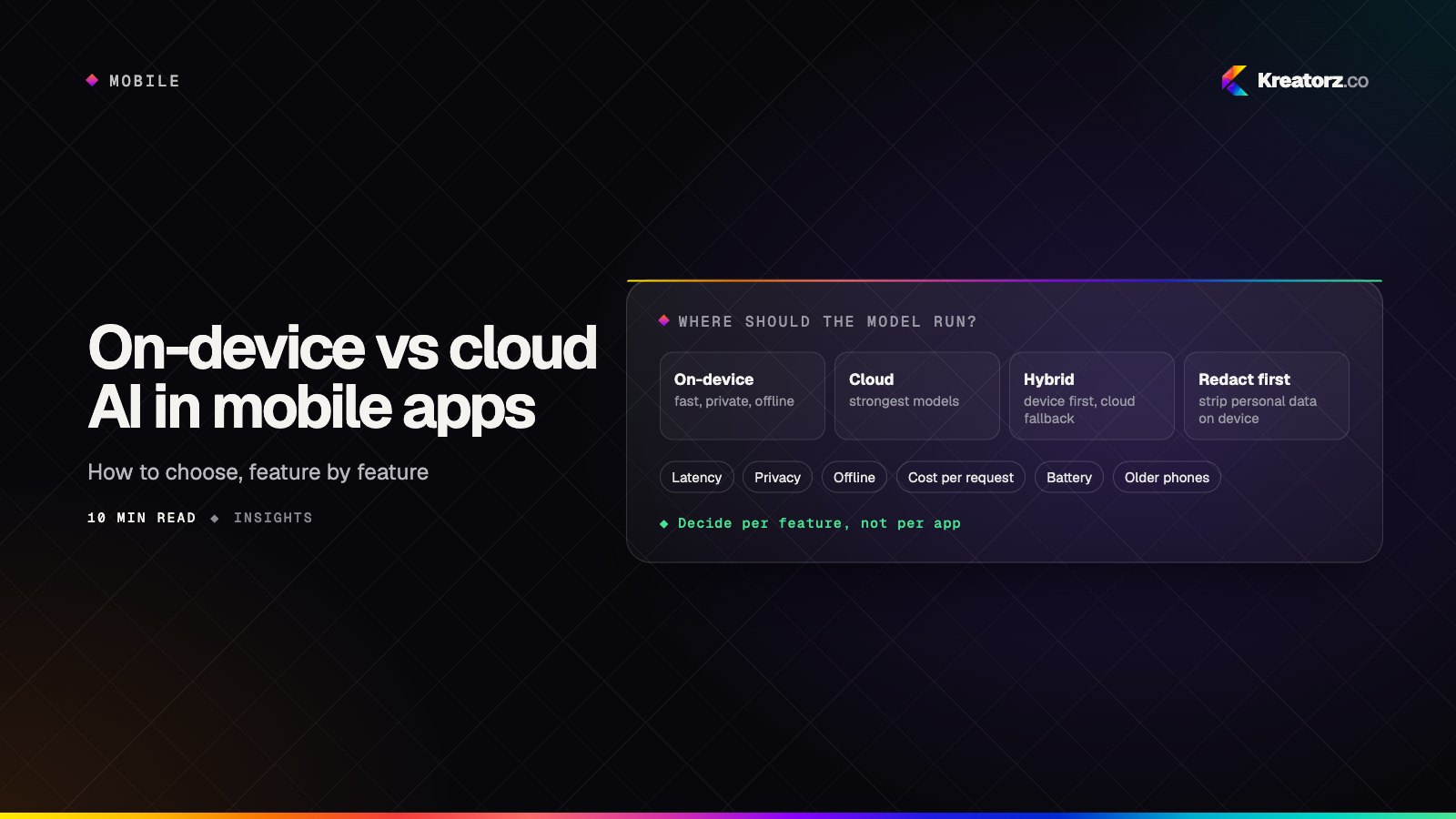
On-device vs cloud vs hybrid AI in mobile apps: how to choose
Phones can now run capable small models, and both Apple and Google offer on-device AI frameworks. That does not make the cloud obsolete. Here is a step-by-step guide to deciding, feature by feature, where the AI in your mobile app should run.
19 November 2026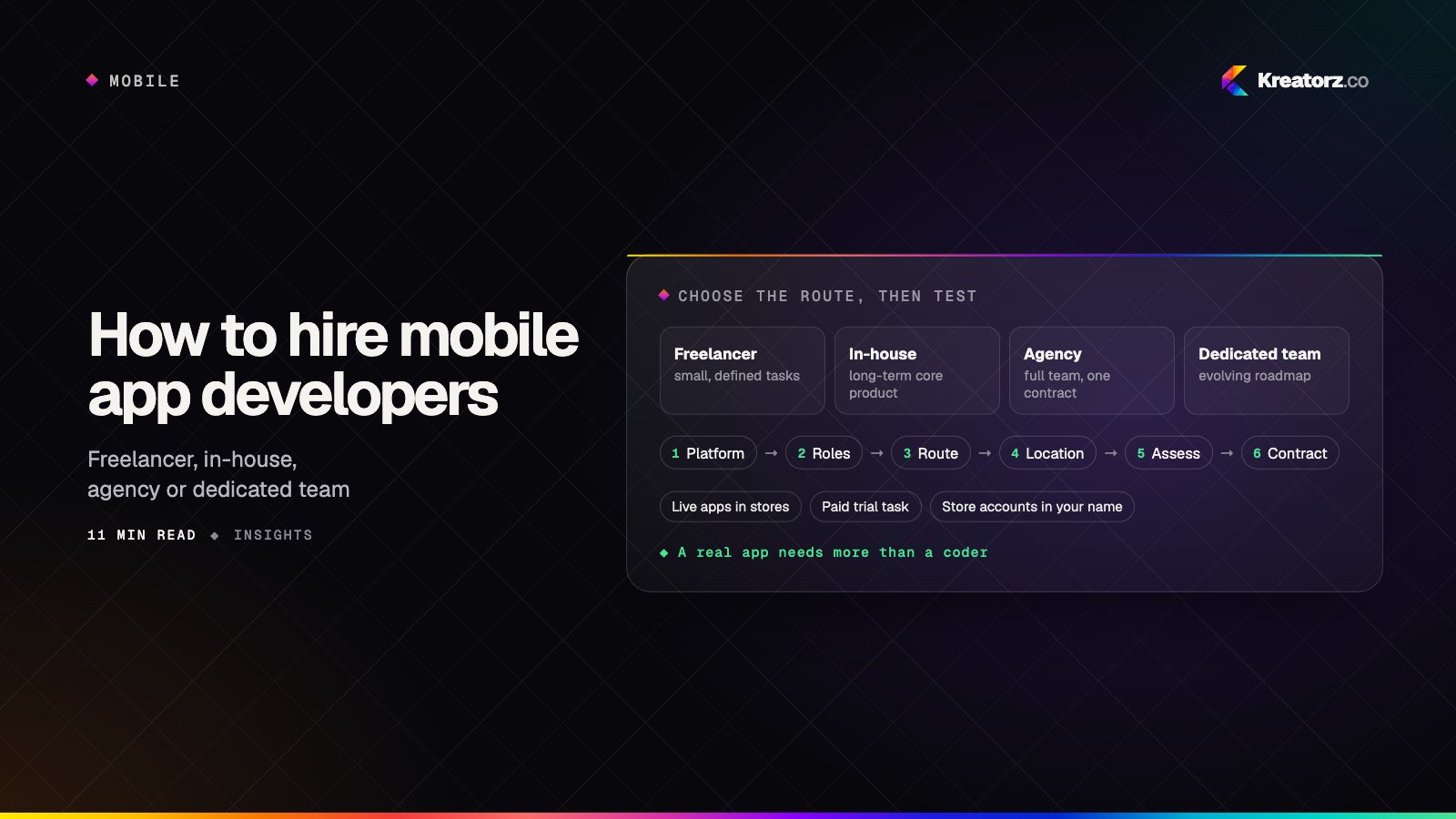
How to hire mobile app developers: a step-by-step guide
Hiring mobile app developers is about more than finding someone who can code. Here is a practical, step-by-step process for choosing between freelancers, in-house hires, agencies and dedicated teams, assessing developers properly, and protecting your app, code and store accounts.
18 November 2026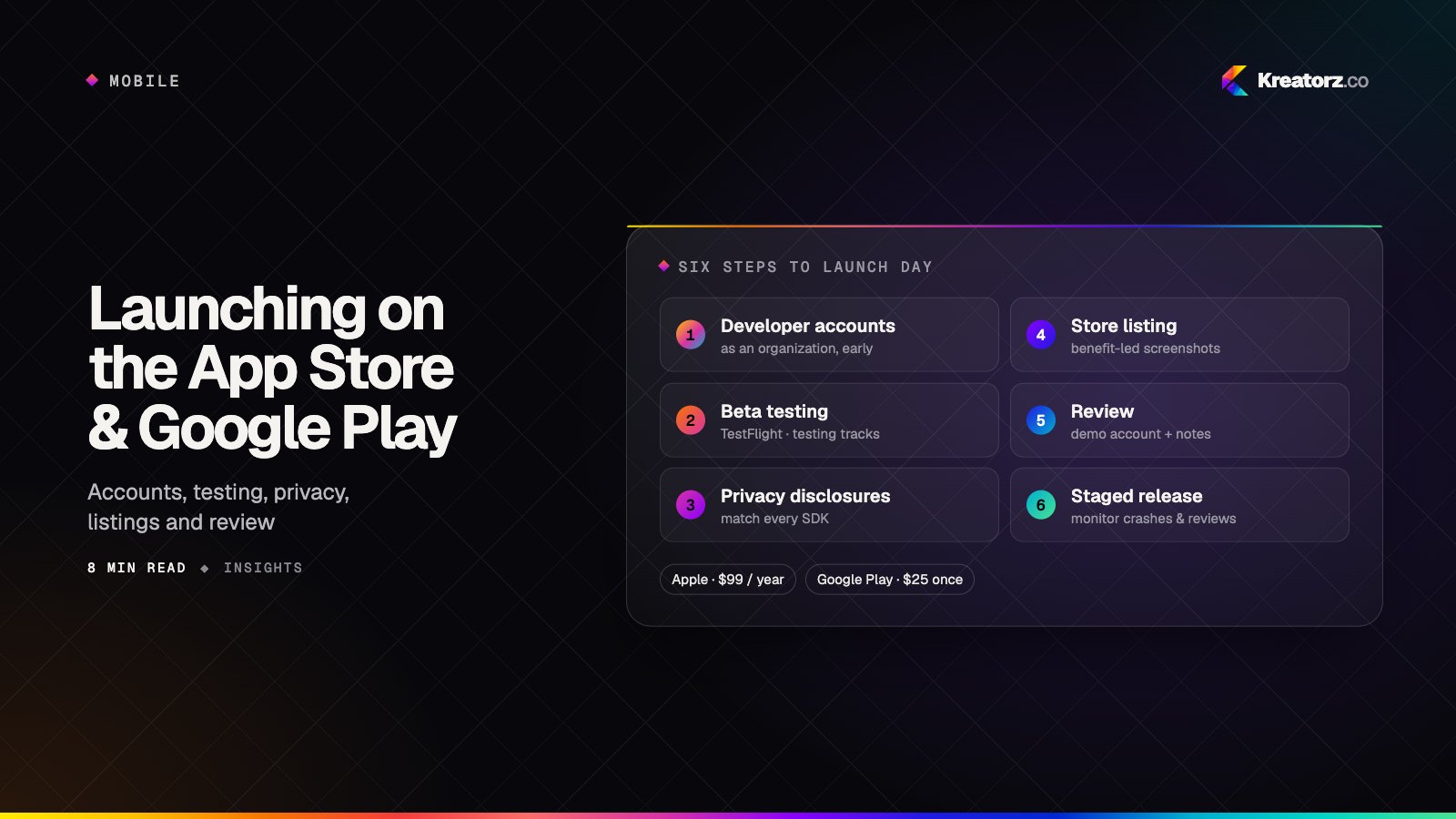
How to launch an app on the App Store and Google Play: a step-by-step guide
Getting an app approved and in front of users is a project of its own — developer accounts, testing tracks, privacy disclosures, store listings and review. Here is the launch process for both stores, the common reasons apps get rejected, and how to plan a calm launch day.
16 November 2026