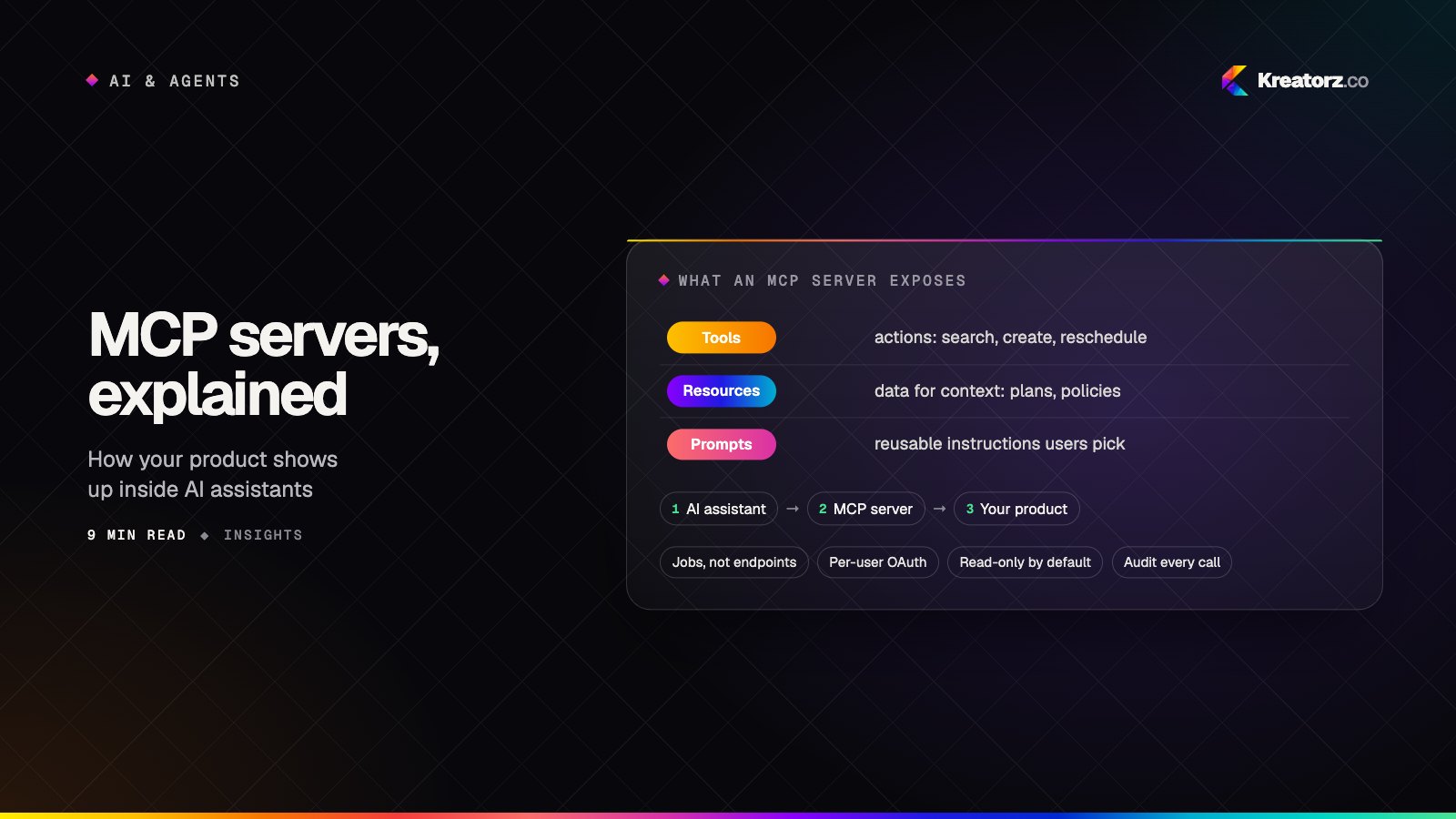
AI assistants are only as useful as what they can reach. The Model Context Protocol (MCP) is an open standard for connecting AI applications to tools and data: you build one MCP server for your system, and any MCP-compatible assistant or agent can use it. Instead of writing a separate integration for every AI product, you describe your capabilities once — "search orders", "create invoice", "read the project plan" — and let AI clients call them safely.
Kreatorz designs and builds production MCP servers. We take care of the parts that decide whether an integration is safe to switch on: authentication, permissions, rate limits, input validation, logging and clear tool design that models use correctly.
What we build
- MCP servers for your product — let your customers use your SaaS from Claude, ChatGPT and other AI assistants, a growing distribution channel for software companies. See SaaS development.
- Internal MCP servers — connect your team's AI assistants to internal databases, documents, CRMs, ticketing and reporting, with each person's own permissions.
- Remote MCP servers — hosted servers with OAuth sign-in, so users connect in a few clicks without installing anything.
- MCP for custom agents — tool layers that your own AI agents use to look things up and take actions across systems.
- Knowledge and search tools — expose your documents through search and retrieval tools backed by RAG.
- Wrapping existing APIs — turn REST or GraphQL APIs into well-described tools without changing the underlying service.
Designing tools that AI uses well
A raw API turned into tools often confuses models: too many endpoints, vague names, huge responses. We design MCP tools around the tasks people actually ask for, with clear names and descriptions, focused inputs, concise results and helpful error messages. We test them with real assistants and real requests, and measure how often the model picks the right tool and completes the task.
Security first
| Risk | How we handle it |
|---|---|
| Who is calling | OAuth sign-in or API keys, with the user's own identity passed through |
| What they can do | Per-user and per-tool permissions, read-only by default, approval for sensitive actions |
| Bad or malicious input | Strict input validation and defenses against prompt injection from retrieved content |
| Data exposure | Returning only the fields needed, masking personal data, no secrets in responses |
| Abuse and cost | Rate limits, quotas and timeouts |
| Accountability | Audit logs of every tool call, its inputs and its results |
Read more in our guide to securing AI products.
How we deliver
- Discovery — the assistants or agents you want to support, the tasks they should handle, and the systems and permissions involved.
- Tool design — a short list of well-scoped tools, reviewed with you before we build.
- Build and secure — the MCP server, authentication, permissions, logging and tests.
- Test with real assistants — measured task success across the AI clients you care about.
- Deploy and support — hosting on your cloud, monitoring, documentation and updates as the protocol evolves.
Start your MCP project
Tell us which systems you want AI assistants to reach and what they should be able to do. We will come back with sharp questions and a clear next step. Get a free consultation.