
How to make your product ready for AI agents: a step-by-step guide
AI assistants and agents now research, compare, book, buy and operate software on behalf of their users. Here is a practical, step-by-step guide to making your product agent-ready, from APIs and MCP servers to permissions, safe actions, agentic commerce and security.
Short answer
To make your product ready for AI agents, decide whether agents will mostly discover, operate or integrate it, then expose task-shaped APIs, an MCP server and structured data. Use OAuth with narrow scopes, require human confirmation for payments and irreversible actions, add idempotency keys, rate limits and audit logs, publish plain-text pricing and docs, and measure agent traffic.
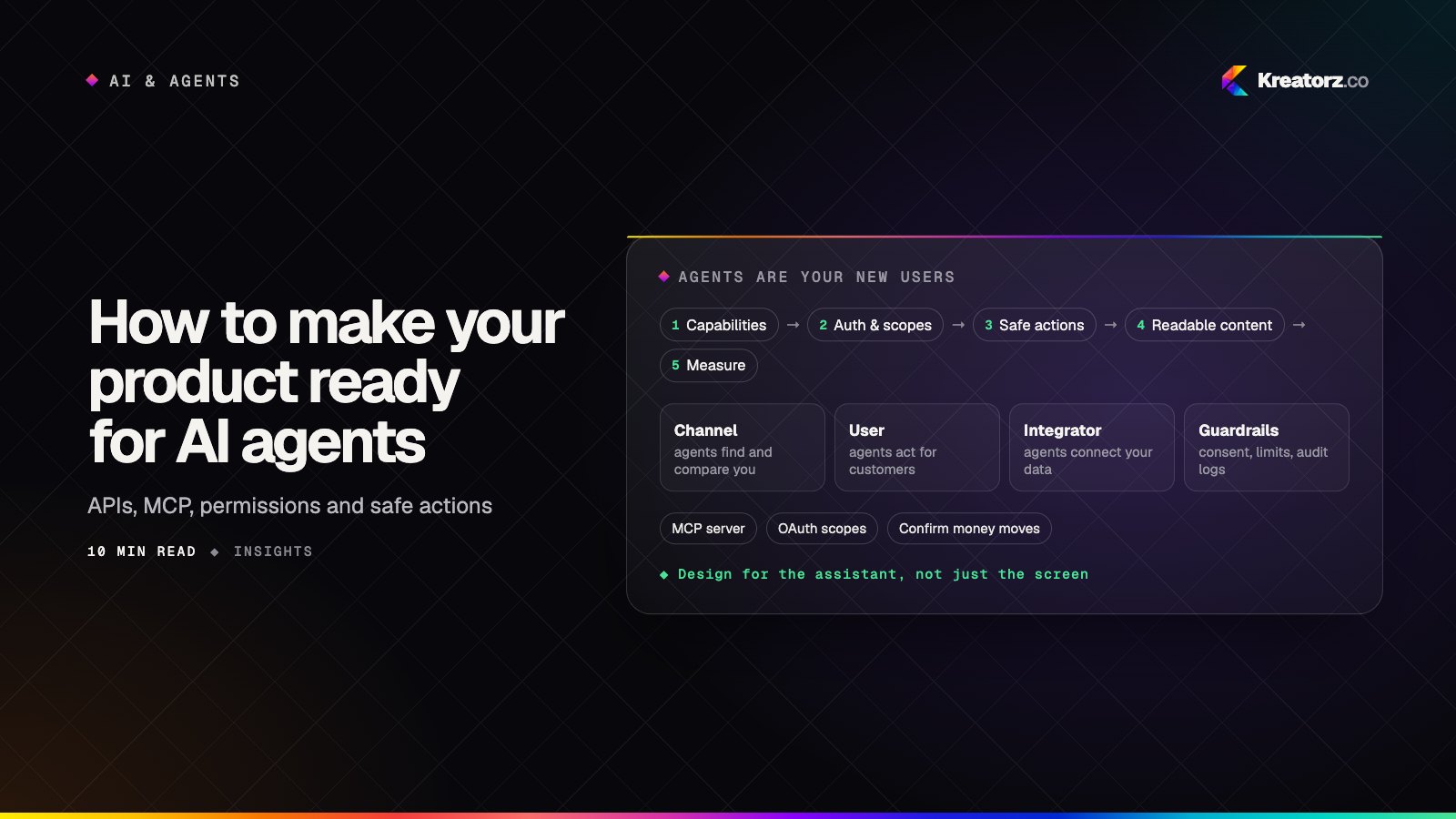
For most of the web's history, the visitors who mattered were people. That assumption is breaking. More and more work now starts with someone asking an AI assistant to do it: compare three suppliers, rebook Thursday's meeting, reorder the usual. The assistant then goes looking for products that can help.
If your product is hard for an agent to understand, reach or operate, it gets skipped. If it is easy and safe to use, it becomes the default. This guide shows product leaders, CTOs and founders how to make a product ready for AI agents, step by step.
Step 1: Understand how agents will use your product
First, work out which of three roles agents will play for you. Most products meet all three eventually, but one usually matters first.
- Agents as a channel. An assistant researching on a user's behalf reads your public pages, pricing and docs, then recommends you or doesn't. This rewards clarity over clever copy.
- Agents as a user. An assistant signs in as, or on behalf of, a real customer and operates your product: creates records, runs reports, changes settings, places orders.
- Agents as an integrator. Your customers, or their developers, build their own AI agents for business workflows and want to plug your product in as one of the tools.
For each role, list the five tasks an agent is most likely to attempt and what a good outcome looks like, such as "pull last month's usage per account" for a SaaS tool or "reorder my last purchase" for a retailer. These lists drive every step that follows.
Step 2: Expose clean capabilities
Agents work best through interfaces designed to be called, not screens designed to be looked at. That means three layers.
Agent-ready APIs
Your public API is the foundation. Agent-ready APIs share a few traits:
- Task-shaped endpoints. "Create invoice from order" is easier for a model to use correctly than five low-level calls it must chain in the right order.
- Descriptive schemas. Clear field names, enumerated values, units and formats spelled out, required versus optional made explicit.
- Useful errors. "Delivery date must be at least two business days out" lets an agent recover. "400 Bad Request" does not.
- Consistent pagination and filtering across resources.
An MCP server for your product
The Model Context Protocol (MCP) is an open standard that lets AI assistants discover and call your product's tools in a consistent way. An MCP server sits on top of your API and presents a curated set of tools described for models. We cover what to expose and how to design those tools in MCP servers explained; the point here is to treat it as a first-class product surface with its own roadmap. If you want help shipping one, that is the work of our MCP server development team.
Structured data on public pages
For the "channel" role, Schema.org markup for products, offers, organizations, FAQs and articles gives agents unambiguous facts instead of forcing them to infer from layout.
Step 3: Get authentication and permissions right for agents
The hardest question in agent readiness is not "can the agent do it?" but "who said it could?". Shared passwords and long-lived personal API keys are the wrong answer.
- Use OAuth for delegated access. The user signs in on your own page and grants the agent access. The agent never sees their password.
- Design narrow scopes. Separate read from write, and separate routine writes from sensitive ones. "Read orders", "create draft orders" and "submit orders" should be three scopes, not one.
- Identify agent sessions. Mark tokens issued to AI clients so logs, rate limits and risk rules can treat them differently.
- Support per-action consent. For consequential actions, ask the human to confirm that specific action on a surface you control.
- Make revocation easy. Users should see every connected agent, what it can do and when it last acted, and be able to revoke access in one click. Business admins need the same view.
Step 4: Make actions safe by design
Agents make mistakes and can be manipulated. Your product, not the agent, must be the last line of defense.
- Confirmations for money and irreversible actions. Payments, refunds, deletions and messages to third parties should return a pending state that a human approves.
- Idempotency keys. Agents retry. Accept an idempotency key on every write so a retried "place order" does not create two orders.
- Rate limits and budgets. Set limits and spending caps per token and per user, so a looping agent hits a wall.
- Previews and undo. Show what would change before committing, and make destructive actions reversible for a window of time.
- Audit logs. Record which user, which client, which scope and which inputs produced each action.
Step 5: Publish machine-readable content
Agents read your site literally. Ambiguity costs you.
- Clear pricing pages. State plans, prices, billing periods, limits and what is included in plain text, not only inside images or calculators.
- Docs that stand alone. Each page should explain one task completely, with examples.
- Facts, not just claims. Supported platforms, integrations, regions and policies are what agents compare.
- llms.txt, optionally. An emerging, informal convention is to publish an
llms.txtfile at your site root that summarizes your product and links to your key pages. It is not a formal standard and support varies, so treat it as a low-cost extra, never a replacement for good pages and structured data.
Step 6: Prepare for agentic commerce
If you sell products, bookings or subscriptions, agents will increasingly find options, check availability, compare prices and start checkout. Agentic commerce does not require reinventing your store, but it needs a few building blocks.
- Catalog and availability APIs. Real-time stock, variants, prices, shipping options and delivery estimates, so an agent can quote accurately.
- A clean checkout handoff. The safest pattern today is for the agent to assemble the cart and hand the user to your own checkout, or to a confirmation screen, to approve the final total. Agent-payment protocols using tokenized, user-approved credentials are emerging; watch them, but keep the human approving the final amount.
- Clear policies in structured form. Returns, cancellations, warranties and fees should be machine-readable.
- Fraud and abuse controls. Review how fraud rules treat automated sessions, add velocity checks on agent orders, and watch for bots posing as assistants to scrape prices or hoard inventory.
If you are building or rebuilding a store with this in mind, our ecommerce app development team designs catalog and checkout APIs that serve apps and agents alike.
Step 7: Measure agent traffic and outcomes
Most analytics setups lump agent activity in with everything else.
- Tag agent traffic. Separate calls from AI clients and agent tokens, plus visits from known AI user agents and referrers.
- Track tasks, not just calls. Measure completion and error rates for your Step 1 tasks, and where agents give up.
- Watch outcomes. Are agent orders returned more often? Do agent-created records need more corrections?
- Review failure logs weekly. Unclear tool descriptions and missing endpoints show up there first.
Step 8: Secure the agent surface
Opening your product to agents creates new attack paths, including through your own content.
- Prompt injection through what you serve. If your product returns user-generated content such as reviews or ticket text, an agent reading it can be fed hidden instructions. Label untrusted content in tool responses, and never let content returned by your product grant permissions or trigger actions on its own.
- Data leakage. Return only the fields the task needs. Enforce access checks on every call, not just at sign-in.
- Least privilege. Default new agent connections to read-only, and make write scopes something users opt into.
- Abuse and cost. Rate limits, quotas and anomaly alerts belong in the first release.
For the full threat model and layered defenses, see our guide to securing AI products.
Agent readiness checklist
| Area | Ready when… |
|---|---|
| Use cases | You have a written list of the top tasks agents will attempt, per role |
| APIs | Task-shaped endpoints, clear schemas, helpful errors, consistent pagination |
| MCP server | A curated, documented set of tools for AI assistants, versioned like a product |
| Structured data | Products, pricing, organization and FAQs marked up on public pages |
| Authentication | OAuth delegated access with narrow, separated read and write scopes |
| Consent and revocation | Per-action confirmation for sensitive steps; one-click revoke for users and admins |
| Safe actions | Idempotency keys, previews, soft deletes and human approval for money or irreversible actions |
| Limits | Rate limits, quotas and budgets per agent session |
| Content | Plain-text pricing, standalone docs, structured policies; llms.txt optional |
| Commerce | Live catalog and availability; checkout handoff with human approval of the total |
| Measurement | Agent traffic tagged; task completion and outcome quality tracked |
| Security | Untrusted content labeled; minimal data returned; least privilege by default; full audit logs |
A roadmap for small and large teams
You do not need to do everything at once. The right sequence depends on your size.
Small teams and startups
- Weeks 1–2: Fix the public basics: structured data, plain-text pricing, standalone docs pages. Low effort, immediate benefit for the "channel" role.
- Weeks 3–6: Tidy the API for your top five tasks and add idempotency keys and helpful errors.
- Weeks 6–10: Ship a read-only MCP server with OAuth, then add one or two low-risk write tools with confirmations.
- Ongoing: Tag agent traffic and review failures weekly.
Larger organizations
- Discovery: Map agent use cases across business units and agree on an owner for the agent surface.
- Platform: Establish shared patterns for agent OAuth clients, scopes, consent, audit logging and rate limiting, so each team does not invent its own.
- Pilot: Launch one MCP server or agent integration for a contained product area, with security review and a rollback plan.
- Scale: Extend to more products, add commerce or high-value write actions behind confirmations, and fold agent metrics into regular product reporting.
Putting it together
Making your product ready for AI agents is mostly good engineering for a new kind of user: clear interfaces, honest content, narrow permissions and actions that fail safely. If you are planning the agent side as well, our step-by-step guide on how to build an AI agent for your business covers it from the other direction.
If you would like a partner for the work, Kreatorz is an AI agent development company in the USA, Canada and Pakistan, with offices in Sheridan, Wyoming (USA), Brantford, Ontario (on Eastern Time) and Lahore, Pakistan. One senior, cross-functional team handles APIs, MCP servers, auth and product changes end to end, you see weekly demos, and you own your code. Explore our AI agent development, full-stack development and SaaS development services, or tell us about your product.
Frequently asked questions
What does it mean for a product to be ready for AI agents?
It means AI assistants can discover your product, understand what it offers and operate it safely on a user's behalf. That takes clean APIs, an MCP server, structured content, OAuth delegated access, confirmations for sensitive actions and logging.
How do AI agents interact with my product?
In three main ways: as a channel, reading your public pages to recommend you; as a user, signing in on a customer's behalf to perform tasks; and as an integrator, where customers plug your product into their own agents through your API or MCP server.
Is an MCP server enough to make my product agent-ready?
No. An MCP server is an important piece, but it relies on a solid API underneath, sensible OAuth scopes, safe action design, machine-readable public content and monitoring.
How should agents handle payments and other irreversible actions?
The product should require explicit human approval for payments, refunds, deletions and similar actions, ideally on a screen you control. Add idempotency keys, rate limits and audit logs so retries cannot cause duplicate actions.
How long does it take to make a product agent-ready?
It depends on the state of your API and auth. Public content fixes can be done in days. A focused, read-only MCP server with OAuth is often a matter of weeks, while platform-wide consent, logging and commerce work for a larger organization takes longer and is best phased.
- MCP server developmentKreatorz builds custom Model Context Protocol (MCP) servers that let AI assistants and agents — Claude, ChatGPT, Copilot and your own — securely read your data and…Explore
- AI agent developmentWe build custom AI agents that read, decide and act across your business systems — with clear limits, human approval where it matters and evaluation you can trust.Explore
- Full-stack developmentWe design, build and run complete web applications — interface, APIs, database, cloud and release pipeline — with one accountable team instead of a chain of handovers.Explore


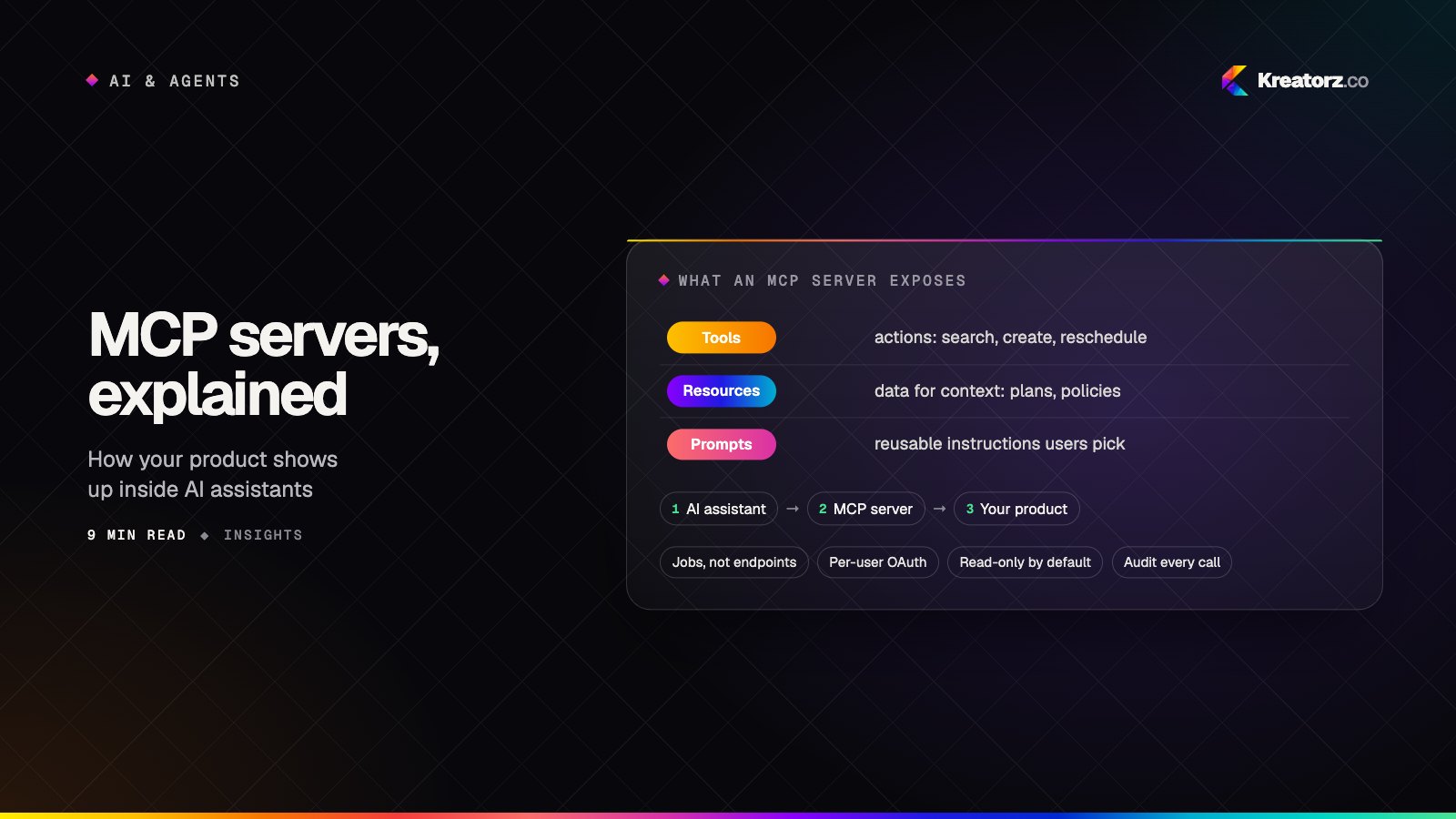
MCP servers explained: why your product needs one for the AI-assistant era
Your customers are starting to work inside AI assistants rather than inside your app. The Model Context Protocol (MCP) is how your product shows up there. Here is what MCP is, what to expose, and how to ship an MCP server that is safe to switch on.
16 November 2026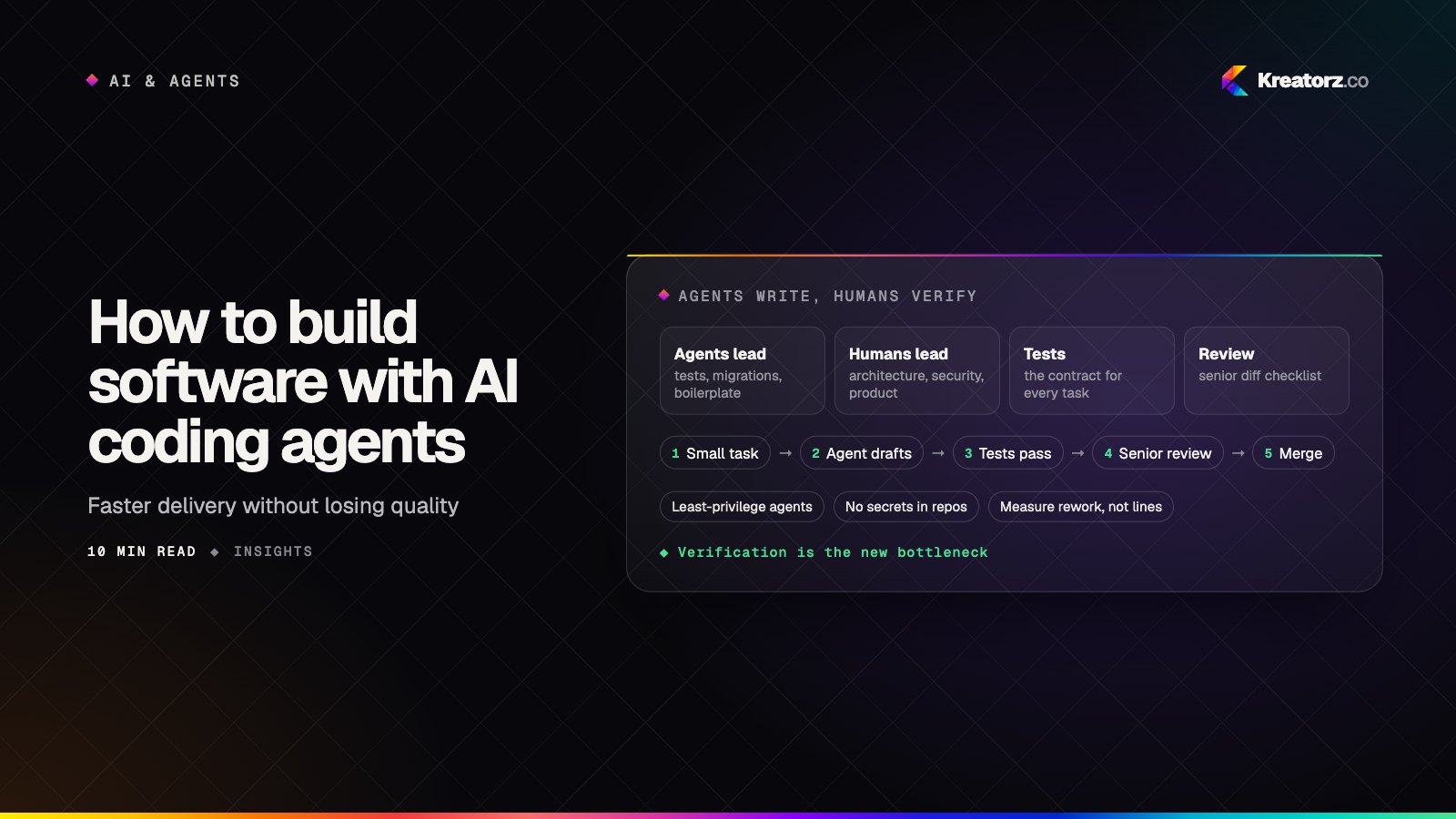
How to build software with AI coding agents without losing quality
AI coding agents can now write large amounts of code and run multi-step tasks in parallel. The hard part has moved to verification, review and security. Here is a step-by-step guide for CTOs, founders and product leaders who want the speed without the hidden cost.
19 November 2026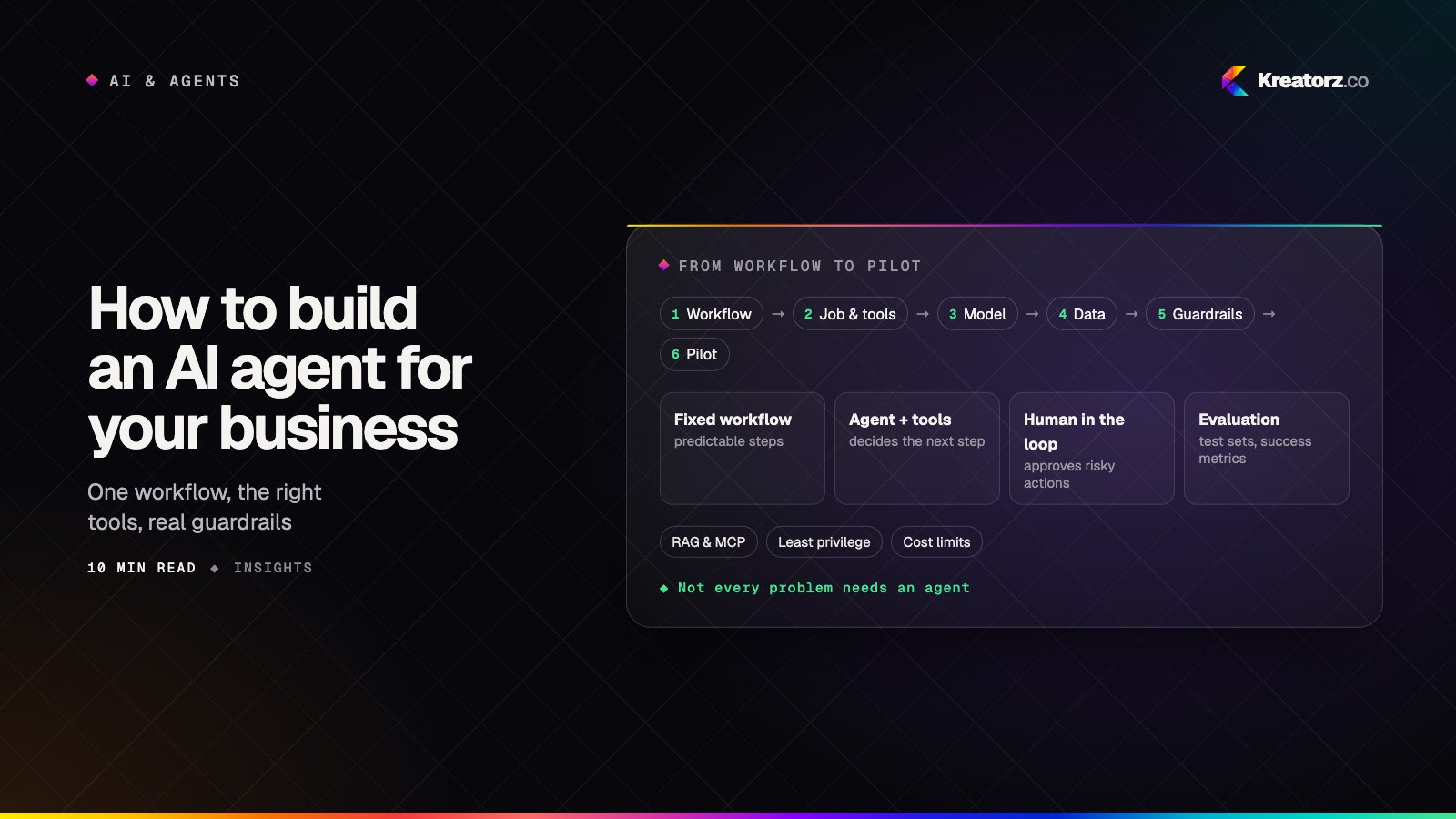
How to build an AI agent for your business: a step-by-step guide
An AI agent can take real work off your team's plate, but only if it is scoped, connected, tested and secured properly. Here is a practical, step-by-step guide for business owners and product leads, from choosing the first workflow to deciding whether to build, buy or hire.
18 November 2026