How to build an AI app: a step-by-step guide from problem to production
Building an AI app is less about picking the cleverest model and more about choosing the right pattern, preparing your data, measuring quality and designing for trust. Here is the process we follow, step by step.
If you are wondering how to build an AI app, the honest answer is that the model is the easy part. Hosted models can be called with a few lines of code, and a prototype can be running in an afternoon. What separates an AI-powered app people rely on from a demo they try once is everything around the model: the problem you choose, the data you feed it, how you measure quality, how the interface handles mistakes, and how you keep costs and risks under control.
This guide walks through the process we use, in the order decisions need to be made — for founders, product managers and engineering leads who want to create an AI application that survives contact with real users.
Step 1: Start from a user problem, not a model
The most common mistake in AI app development is starting with "we should use AI" and searching for somewhere to put it. Start instead with a specific person and a specific job they struggle with.
Good AI problems tend to share a few traits:
- The task involves language, images or judgement that rules-based software handles poorly — reading, summarising, classifying, drafting, recognising.
- A good-enough answer is valuable, and a wrong answer can be caught or corrected cheaply.
- You can tell whether it worked. If nobody can define a good output, nobody can improve it.
"Support agents spend too long finding the right policy before replying" is a problem. "Add a chatbot" is not. And be willing to discover that a form or a rules engine solves it better.
Step 2: Choose the right AI pattern
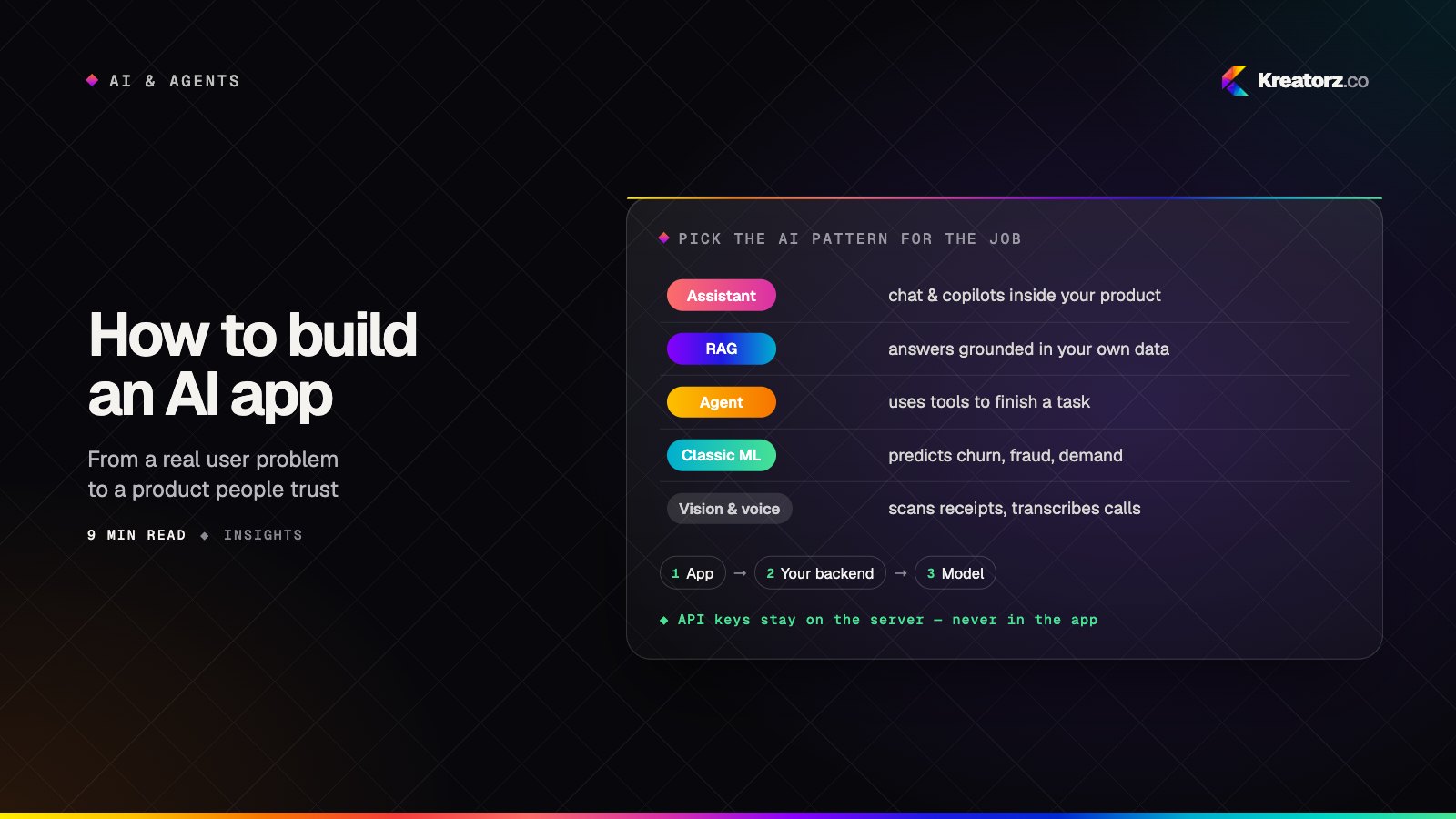
Once the problem is clear, decide which kind of AI fits it. Most AI-powered apps are built from a small number of patterns, and choosing the right one shapes everything that follows.
| Use case | AI pattern | Example |
|---|---|---|
| Answer questions, draft text, guide users | LLM chat or assistant | An in-app copilot that drafts replies or explains a feature |
| Answer from your own documents | Retrieval-augmented generation (RAG) | A support assistant that cites your help centre and policies |
| Complete multi-step tasks in your systems | Agents and tool use | An assistant that reads an email, creates a calendar event and updates a record |
| Predict a number or a category from structured data | Classic machine learning | Churn risk, demand forecasting, fraud scoring |
| Understand photos, documents or speech | Vision and voice models | Scanning receipts, transcribing calls, identifying items in an image |
These patterns combine. A strong assistant often uses RAG for knowledge, tools for live data and a classic model for a score it needs. If your answers must come from company content, our guide to RAG done right covers the pipeline in depth. If the app needs to take actions rather than just answer, look at AI agent development patterns early — permissions and approvals are design decisions, not afterthoughts. And if the problem is really about predicting outcomes from tabular data, a purpose-built machine learning model is often cheaper, faster and more accurate than a large language model.
Step 3: Build vs buy — hosted APIs or open-weight models?
You rarely need to train a model from scratch. The real choice is between calling a hosted model through an API and running an open-weight model yourself.
Hosted APIs give you the most capable models with no infrastructure to manage, plus fast iteration and frequent improvements. The trade-offs: your data leaves your infrastructure (check the provider's data-handling terms), costs scale with usage, and you depend on the provider's availability and model changes.
Open-weight models run on infrastructure you control — your cloud account or your own hardware. They suit strict data-residency requirements, very high volumes of simple tasks, offline or on-device use, and cases where you want to fine-tune heavily. The trade-offs: you take on hosting, scaling, security patching and evaluation, and the most capable open models still need serious hardware.
Many production apps use both. Whichever you choose, put a thin abstraction between your code and the model so you can switch later.
Step 4: Check your data readiness
AI is only as good as the information it can see. Before building, ask:
- Where does the needed information live? Documents, databases, tickets, emails, third-party tools.
- Is it accurate and current? Outdated content produces confidently outdated answers.
- Who is allowed to see what? Permissions must carry through to AI answers.
- Can you legally use it this way? Consent, contracts and privacy obligations apply to AI processing too.
- For classic ML: is there enough labelled history to learn from, and does it reflect the situations the model will face?
Data work is usually the largest part of the effort. Budget for it honestly.
Step 5: Prototype fast — and build an evaluation set alongside it
A quick prototype tells you whether the idea is plausible. An evaluation set tells you whether it is good. Build both together.
Collect realistic inputs — real questions, real documents, awkward edge cases — and write down what a good output looks like for each. Score every version of your prompts, retrieval and model choice against that set, mixing automated checks with review by a domain expert.
This is also the moment to scope an MVP: one user, one job, one pattern. A focused MVP with a clear success measure teaches you more than a broad product that does many things adequately.
Step 6: Get the AI app architecture right
The basic shape of a production AI app is simple: the app talks to your backend, and your backend talks to the model. Never call a model provider directly from a mobile or web client.
Key architectural decisions:
- Never ship API keys in the app. Anything bundled into a mobile app or browser code can be extracted. Keys live on your server, which also enforces authentication, rate limits and per-user quotas.
- Stream responses. Showing text as it is generated makes the app feel responsive even when a full answer takes several seconds.
- Cache what you can. Identical or near-identical requests — common questions, repeated document summaries — can be served from a cache instead of a fresh model call.
- Plan fallbacks. Models time out, providers have outages and rate limits are hit. Decide what happens: retry, switch to a backup model, degrade to a simpler feature or show a clear message.
For mobile products, the same principle holds: the mobile app stays a thin, fast client, and the intelligence sits behind an API you control.
Step 7: Design UX for AI — uncertainty, citations, undo
AI output is probabilistic, so the interface must help people judge and correct it. The principles that matter most:
- Show uncertainty honestly. Let the system say "I'm not sure" or "I couldn't find that", and make that feel like a normal outcome.
- Cite sources so users can verify answers in one tap.
- Suggest, don't silently act. Present drafts and proposed actions for confirmation, especially when they change data or contact other people.
- Make undo easy. If the AI did something, the user should be able to reverse it.
- Keep humans in control of anything consequential — money, health, legal commitments, messages sent on someone's behalf.
We go deeper on this in designing AI features people trust.
Step 8: Safety, privacy and security
AI apps introduce new attack surfaces alongside the familiar ones.
- Prompt injection. Any text the model reads — a web page, an email, an uploaded document — can contain instructions trying to hijack it. Treat external content as data, limit what tools the model can call, and require approval for sensitive actions.
- Personal data. Send the model only what the task needs. Redact or mask personal information where possible, and know where your provider stores and processes it.
- Guardrails. Validate outputs before acting on them: check formats, block disallowed content, and enforce business rules in code rather than trusting the prompt.
- Access control. The AI must never reveal information the user could not see directly.
Our article on securing AI products covers these threats in more detail.
Step 9: Control costs from day one
AI costs scale with usage, so design for efficiency early:
- Set token budgets per request and per user, and keep prompts and retrieved context lean.
- Use smaller models for simple tasks — classification, routing, extraction — and reserve the most capable model for genuinely hard reasoning.
- Cache repeated requests and stable parts of prompts.
- Measure cost per successful task, not just cost per call, so you optimise for value rather than volume.
Step 10: Launch, monitor and iterate on your AI-powered app
Launch to a limited group first, with clear feedback controls, then monitor:
- Quality — user ratings, corrections, escalations and spot-checks against your evaluation criteria.
- Failures — unanswered questions, refusals, timeouts and fallback usage.
- Cost and latency per feature and per user segment.
- Drift — changes in behaviour, data or the model that quietly degrade results.
Feed real failures back into your evaluation set, improve prompts, retrieval, data or model choice, and re-test before each release. AI apps are never "finished"; the advantage goes to teams with the fastest, safest loop from feedback to improvement.
Putting it together
Building an AI app well comes down to discipline: a real problem, the right pattern, honest data, measured quality, an interface that keeps people in control, and engineering that handles failure, cost and security. Products in our own portfolio — such as Luna, an AI pet care app offering 24/7 veterinary guidance, and Rayna, a private AI relationship coaching app — show how varied the use cases are; the process stays the same. If you want a partner for the full journey, our AI app development team works across every step above.
If you are weighing up an AI app idea and want a second opinion on the pattern, the data or the scope, get in touch — we are happy to talk it through.
Frequently asked questions
How long does it take to build an AI app?
A prototype can take days; a production-ready first version usually takes a few months, depending on data readiness, integrations, evaluation and security needs. Narrow scope is the biggest accelerator.
Do I need to train my own AI model?
Usually not. Most AI apps combine existing hosted or open-weight models with your data through retrieval, tools or careful prompting. Fine-tuning suits specialised tasks, very high volumes or strict data constraints.
Should I use a hosted API or an open-weight model?
Hosted APIs offer the most capable models with the least infrastructure; open-weight models give more control over data, deployment and high-volume costs. Many teams start hosted and move specific tasks later.
How do I stop an AI app from making things up?
Ground answers in your own data with retrieval, require citations, allow the model to say it does not know, validate outputs in code, and test against an evaluation set built from real questions. No technique removes errors entirely, so design the interface to make them easy to spot and correct.
Can I add AI to an existing app?
Yes, and it is often the best place to start: your product already has users, data and workflows. A focused AI feature behind your current backend is usually lower risk than a new AI product.
How do I keep AI costs under control?
Use the smallest model that does each task well, keep prompts and context lean, cache repeated requests, set per-user limits and track cost per successful outcome. Designing for cost early is far easier than retro-fitting it later.
Related services
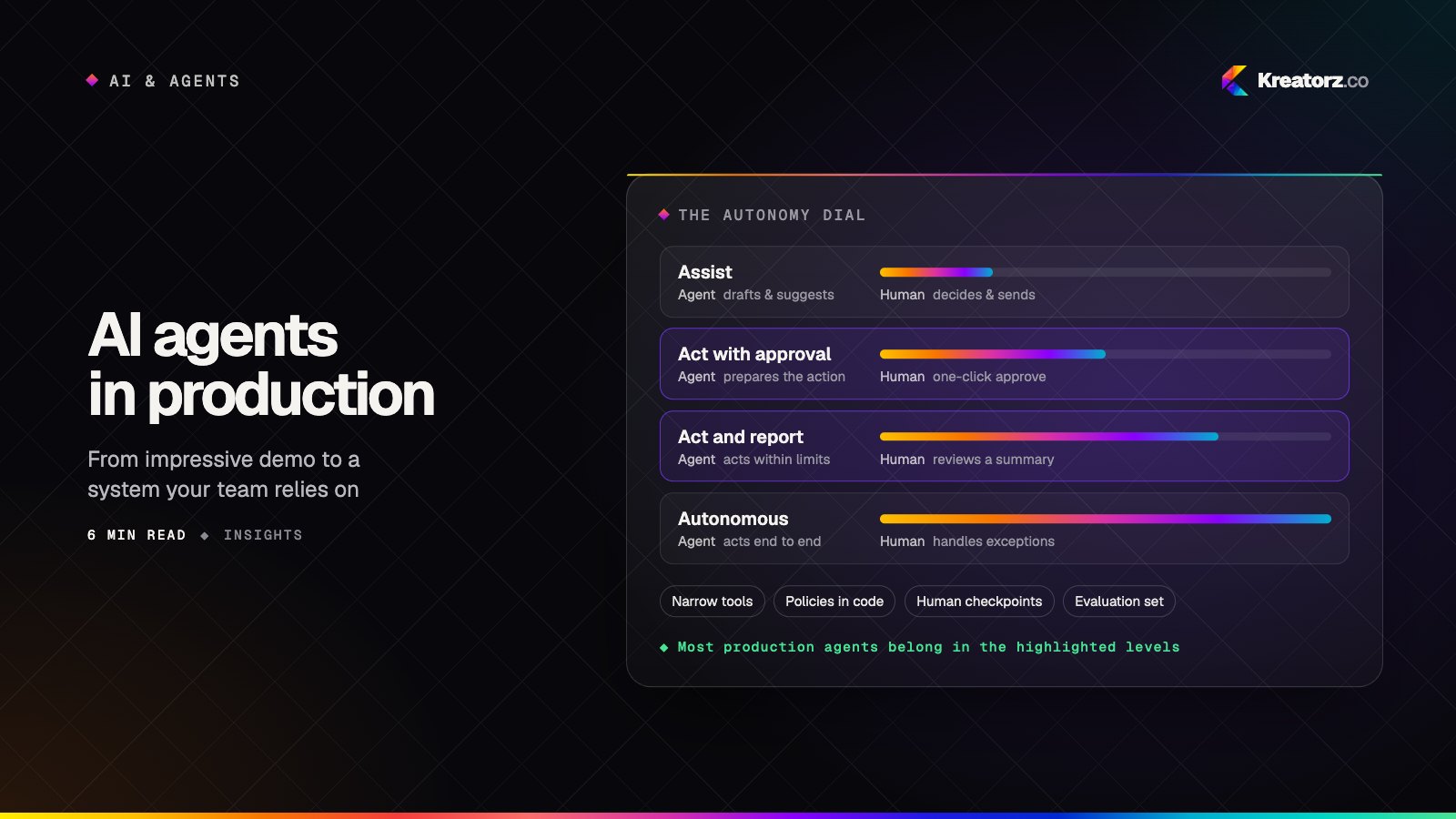
AI agents in production: a field guide for business leaders
Agents can now plan, use your tools and finish real work. Here is how to choose the right first use case, design the guardrails, and get from an impressive demo to a system your team relies on every day.
10 November 2026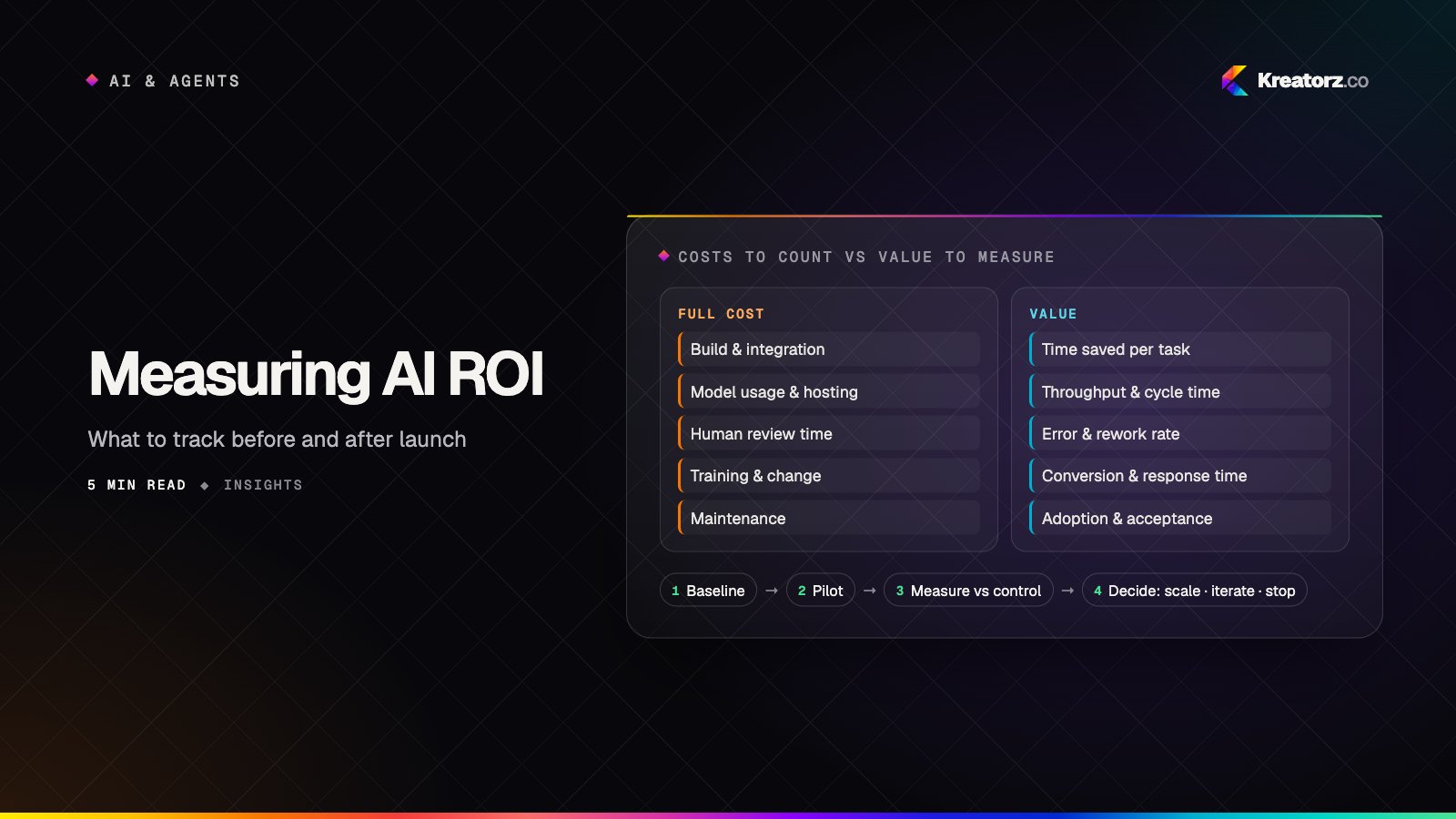
Measuring the ROI of AI projects: what to track before and after launch
AI projects stall in "promising pilot" because nobody defined what success looks like in numbers. Here is a practical framework for baselining, measuring and reporting the real return on AI work.
5 November 2026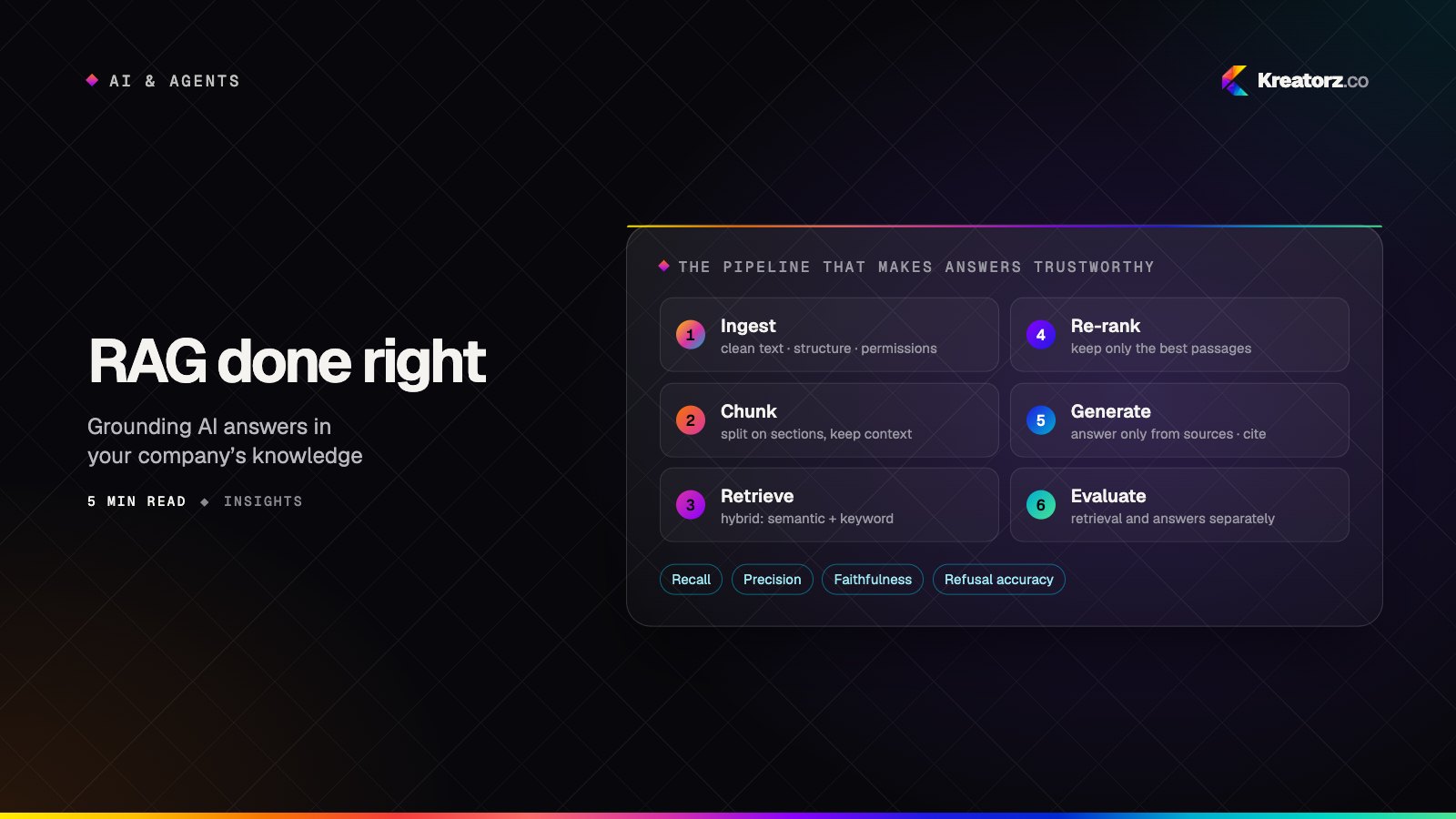
RAG done right: grounding AI in your company's knowledge
Retrieval-augmented generation is how AI answers from your documents instead of guessing. Most failures come from the pipeline around the model, not the model itself. Here is how to build one that holds up.
27 October 2026